
The best free antivirus solutions in 2026 are no longer basic tools with limited protection. Today, many free antivirus programs deliver powerful malware detection, real-time scanning, and even advanced security features that rival paid suites. However, choosing the right one requires understanding what you gain—and what you sacrifice.
Cyber threats have evolved dramatically. From AI-powered phishing attacks to ransomware-as-a-service, attackers are more sophisticated than ever. At the same time, free antivirus tools have improved significantly, offering strong baseline protection for everyday users.
According to independent testing and industry reviews, tools like Microsoft Defender, Avast, Bitdefender, and Avira consistently rank among the top free antivirus solutions, often achieving 99%+ malware detection rates in lab tests.
But here’s the critical truth: not all free antivirus software is created equal.
Why free antivirus is still relevant in 2026
The evolution of free cybersecurity tools
A decade ago, free antivirus programs were often stripped-down versions designed purely as upsell funnels. Today, they are legitimate security solutions backed by enterprise-grade engines.
Modern free antivirus tools now include:
- Real-time malware protection
- Cloud-based threat detection
- Behavioral analysis
- Automatic updates
- Basic phishing protection
Even built-in tools like Microsoft Defender have reached a level where they are considered sufficient for most users when properly maintained.
Who should use free antivirus
Free antivirus is ideal for:
- Casual users browsing, streaming, and emailing
- Students or budget-conscious users
- Single-device protection (PC or Mac)
- Low-risk online behavior
However, if you handle sensitive data, cryptocurrency, or business systems, relying solely on free protection may not be enough.
How free antivirus software actually works
Signature-based detection
Traditional antivirus tools rely on virus signatures—unique identifiers for known malware. When a file matches a known signature, it is flagged and removed.
Behavioral monitoring
Modern antivirus solutions go beyond signatures by analyzing how programs behave:
- Unexpected file encryption (ransomware)
- Unauthorized system changes
- Suspicious network activity
Cloud-based scanning
Many free antivirus tools now use cloud intelligence:
- Faster detection
- Lower system impact
- Real-time global threat updates
This is why lightweight tools like Bitdefender Free are praised for performance efficiency.
Top best free antivirus software (2026)
Microsoft Defender (built-in protection)
Microsoft Defender has transformed into a serious contender in cybersecurity.
Key strengths:
- Built into Windows (no installation needed)
- Real-time protection and firewall integration
- Strong phishing and ransomware defense
- High detection rates (99%+)
Best for: users who want a “set-and-forget” solution
Avast One Basic
Avast remains one of the most feature-rich free antivirus tools.
Key features:
- Real-time malware protection
- Web and email shield
- Network security scanner
- Smart scan functionality
Downside: frequent upgrade prompts
Avira Free Security
Avira stands out for combining antivirus with extra privacy tools.
Key features:
- Cloud-based malware detection
- Free VPN (limited data)
- Password manager
- Browser safety tools
Detection rates reach up to 99.8%, competing with premium tools.
Bitdefender Antivirus Free
Bitdefender is widely considered the most lightweight option.
Key strengths:
- Minimal system impact
- Excellent detection rates (~99.8%)
- Strong real-time protection
Limitations: fewer customization options
AVG Antivirus Free
AVG shares the same engine as Avast but offers a cleaner interface.
Key features:
- Email protection
- Malware and spyware detection
- Real-time updates
Free antivirus vs real-world threats
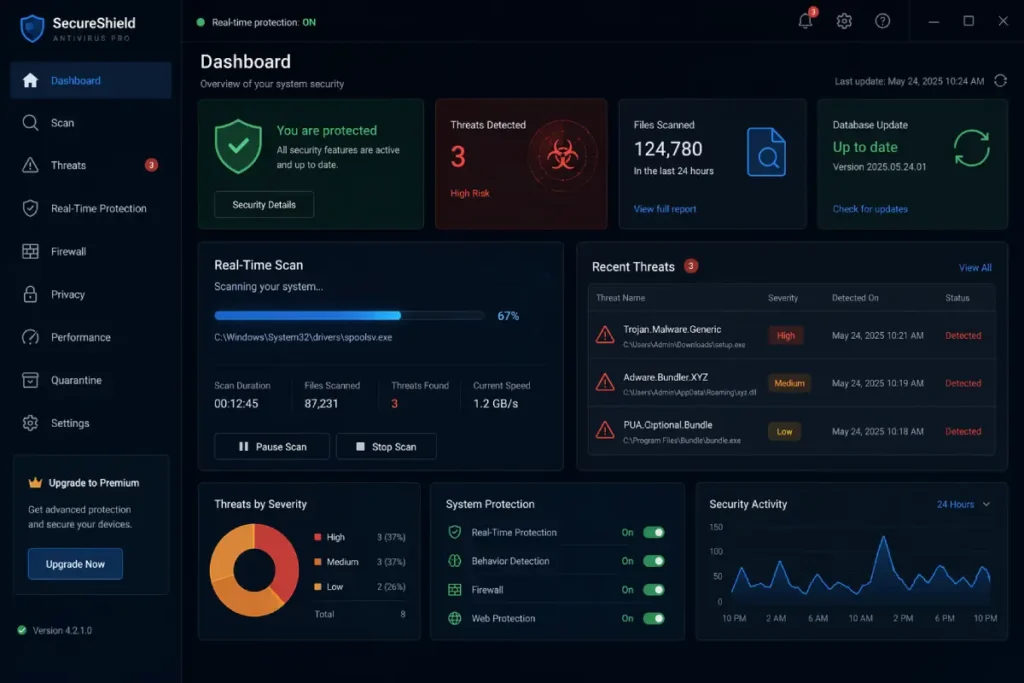
What free antivirus protects against
Free antivirus tools are effective against:
- Viruses
- Trojans
- Spyware
- Basic ransomware
- Known phishing attacks
What they often miss
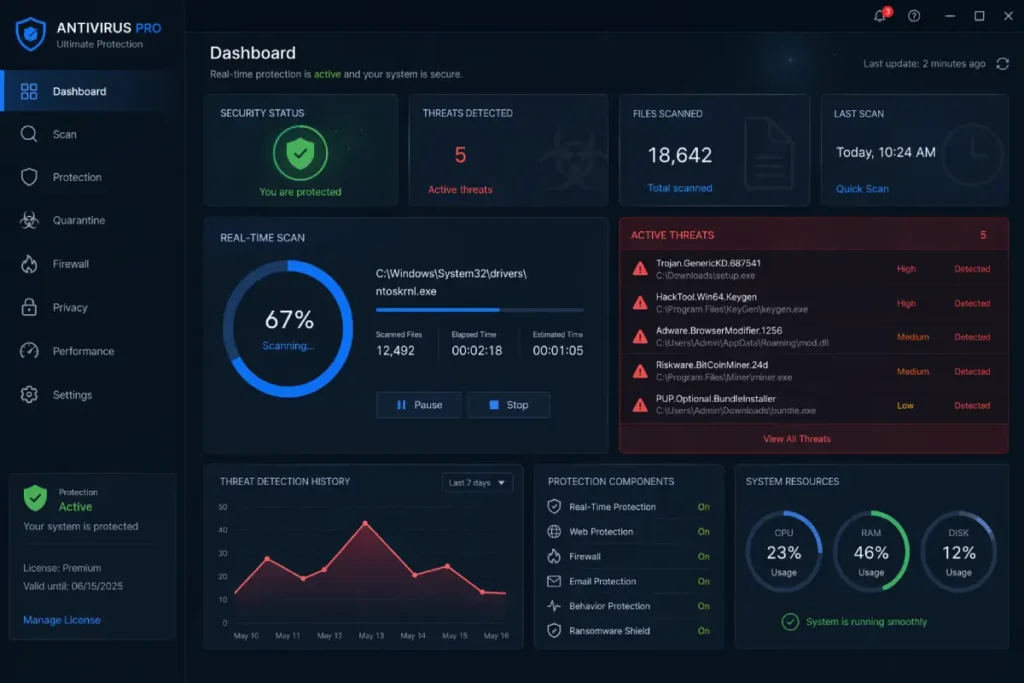
Free solutions usually lack:
- Advanced ransomware shields
- Identity theft protection
- Dark web monitoring
- Full VPN integration
- Multi-device coverage
This limitation is why many experts recommend upgrading for full protection.
Performance impact: does free antivirus slow your PC?
Lightweight vs heavy tools
- Bitdefender Free → extremely lightweight
- Microsoft Defender → moderate impact
- Avast/AVG → slightly heavier due to features
Cloud scanning advantage
Cloud-based engines reduce CPU usage by offloading processing to remote servers.
Common myths about free antivirus
Myth 1: Free antivirus is useless
False. Many free tools use the same engines as paid versions.
Myth 2: You need multiple antivirus programs
Running multiple antivirus tools can cause system conflicts and reduce protection.
Myth 3: Macs don’t need antivirus
Mac users are increasingly targeted by malware, making antivirus tools more relevant than ever.
When free antivirus is NOT enough
Free antivirus is not ideal if you:
- Run a business
- Store sensitive financial data
- Use public Wi-Fi frequently
- Trade cryptocurrency
- Need privacy tools like VPN
Internal linking strategy (SEO boost)
To fully secure your system, you should also understand how antivirus compares to premium tools.
[INTERNAL LINK: Free vs Paid Antivirus → Free Antivirus vs Paid Antivirus: Is Free Protection Enough?]
The best free antivirus solutions in 2026 are no longer basic tools with limited protection. Today, many free antivirus programs deliver powerful malware detection, real-time scanning, and even advanced security features that rival paid suites. However, choosing the right one requires understanding what you gain—and what you sacrifice.
Cyber threats have evolved dramatically. From AI-powered phishing attacks to ransomware-as-a-service, attackers are more sophisticated than ever. At the same time, free antivirus tools have improved significantly, offering strong baseline protection for everyday users.
According to independent testing and industry reviews, tools like Microsoft Defender, Avast, Bitdefender, and Avira consistently rank among the top free antivirus solutions, often achieving 99%+ malware detection rates in lab tests.
But here’s the critical truth: not all free antivirus software is created equal.
Why free antivirus is still relevant in 2026
The evolution of free cybersecurity tools
A decade ago, free antivirus programs were often stripped-down versions designed purely as upsell funnels. Today, they are legitimate security solutions backed by enterprise-grade engines.
Modern free antivirus tools now include:
- Real-time malware protection
- Cloud-based threat detection
- Behavioral analysis
- Automatic updates
- Basic phishing protection
Even built-in tools like Microsoft Defender have reached a level where they are considered sufficient for most users when properly maintained.
Who should use free antivirus
Free antivirus is ideal for:
- Casual users browsing, streaming, and emailing
- Students or budget-conscious users
- Single-device protection (PC or Mac)
- Low-risk online behavior
However, if you handle sensitive data, cryptocurrency, or business systems, relying solely on free protection may not be enough.
How free antivirus software actually works
Signature-based detection
Traditional antivirus tools rely on virus signatures—unique identifiers for known malware. When a file matches a known signature, it is flagged and removed.
Behavioral monitoring
Modern antivirus solutions go beyond signatures by analyzing how programs behave:
- Unexpected file encryption (ransomware)
- Unauthorized system changes
- Suspicious network activity
Cloud-based scanning
Many free antivirus tools now use cloud intelligence:
- Faster detection
- Lower system impact
- Real-time global threat updates
This is why lightweight tools like Bitdefender Free are praised for performance efficiency.
Top best free antivirus software (2026)
Microsoft Defender (built-in protection)
Microsoft Defender has transformed into a serious contender in cybersecurity.
Key strengths:
- Built into Windows (no installation needed)
- Real-time protection and firewall integration
- Strong phishing and ransomware defense
- High detection rates (99%+)
Best for: users who want a “set-and-forget” solution
Avast One Basic
Avast remains one of the most feature-rich free antivirus tools.
Key features:
- Real-time malware protection
- Web and email shield
- Network security scanner
- Smart scan functionality
Downside: frequent upgrade prompts
Avira Free Security
Avira stands out for combining antivirus with extra privacy tools.
Key features:
- Cloud-based malware detection
- Free VPN (limited data)
- Password manager
- Browser safety tools
Detection rates reach up to 99.8%, competing with premium tools.
Bitdefender Antivirus Free
Bitdefender is widely considered the most lightweight option.
Key strengths:
- Minimal system impact
- Excellent detection rates (~99.8%)
- Strong real-time protection
Limitations: fewer customization options
AVG Antivirus Free
AVG shares the same engine as Avast but offers a cleaner interface.
Key features:
- Email protection
- Malware and spyware detection
- Real-time updates
Free antivirus vs real-world threats
What free antivirus protects against
Free antivirus tools are effective against:
- Viruses
- Trojans
- Spyware
- Basic ransomware
- Known phishing attacks
What they often miss
Free solutions usually lack:
- Advanced ransomware shields
- Identity theft protection
- Dark web monitoring
- Full VPN integration
- Multi-device coverage
This limitation is why many experts recommend upgrading for full protection.
Performance impact: does free antivirus slow your PC?
Lightweight vs heavy tools
- Bitdefender Free → extremely lightweight
- Microsoft Defender → moderate impact
- Avast/AVG → slightly heavier due to features
Cloud scanning advantage
Cloud-based engines reduce CPU usage by offloading processing to remote servers.
Common myths about free antivirus
Myth 1: Free antivirus is useless
False. Many free tools use the same engines as paid versions.
Myth 2: You need multiple antivirus programs
Running multiple antivirus tools can cause system conflicts and reduce protection.
Myth 3: Macs don’t need antivirus
Mac users are increasingly targeted by malware, making antivirus tools more relevant than ever.
When free antivirus is NOT enough
Free antivirus is not ideal if you:
- Run a business
- Store sensitive financial data
- Use public Wi-Fi frequently
- Trade cryptocurrency
- Need privacy tools like VPN
Internal linking strategy (SEO boost)
To fully secure your system, you should also understand how antivirus compares to premium tools.
[INTERNAL LINK: Free vs Paid Antivirus → Free Antivirus vs Paid Antivirus: Is Free Protection Enough?]
Security features you should expect from the best free antivirus
Not all free antivirus tools are equal, but the best free antivirus options share a core set of essential features that define modern baseline protection. Understanding these features helps you separate strong tools from weak ones.
Real-time protection engine
Real-time protection is the backbone of any antivirus software. It continuously monitors your system and scans files as they are opened, downloaded, or executed.
Without real-time protection, your antivirus becomes reactive instead of proactive.
Top tools like Microsoft Defender and Bitdefender Free include:
- Continuous file scanning
- Instant malware blocking
- Automatic quarantine of suspicious files
Malware and ransomware defense
Ransomware remains one of the most dangerous cyber threats in 2026. While free antivirus tools can detect known ransomware variants, their ability to stop advanced attacks varies.
Strong free antivirus tools provide:
- Behavior-based ransomware detection
- File encryption monitoring
- Threat rollback (limited in free versions)
However, advanced ransomware protection is typically reserved for paid plans.
Web protection and phishing defense
Modern threats often come from websites rather than downloaded files. This is why web protection is critical.
Free antivirus tools may include:
- Malicious URL blocking
- Phishing site detection
- Browser extension security
This feature is essential because phishing attacks have become highly sophisticated, often mimicking real banking or login pages.
Automatic updates
Cyber threats evolve daily. Antivirus software must update frequently to stay effective.
Top free antivirus programs offer:
- Daily or real-time virus definition updates
- Automatic patching
- Cloud intelligence syncing
Without regular updates, even the best antivirus becomes obsolete quickly.
Privacy concerns with free antivirus software
Free antivirus comes at a cost—just not always a monetary one.
Data collection practices
Some free antivirus providers collect anonymized user data to improve threat detection or monetize through analytics.
This may include:
- Browsing behavior
- App usage patterns
- Device information
While reputable companies maintain transparency, it’s important to review privacy policies before installation.
Ads and upselling
Free antivirus tools often rely on upselling to generate revenue.
Common experiences include:
- Upgrade notifications
- Feature limitations reminders
- Occasional pop-ups
Tools like Avast and AVG are known for more aggressive upselling, while Bitdefender Free offers a quieter experience.
Best free antivirus for different use cases
Choosing the best free antivirus depends heavily on your needs.
Best for beginners
Microsoft Defender is ideal for users who want:
- No installation process
- Automatic updates
- Seamless Windows integration
It runs quietly in the background and requires minimal configuration.
Best for performance
Bitdefender Antivirus Free is perfect for:
- Older computers
- Low RAM systems
- Users wanting minimal system impact
Its cloud-based engine ensures strong protection without slowing down your device.
Best for extra features
Avira Free Security stands out for users who want more than just antivirus.
It includes:
- Free VPN (limited)
- Password manager
- System optimization tools
This makes it a strong all-in-one free solution.
Best for customization
Avast and AVG offer:
- Advanced scanning options
- Custom security settings
- Network scanning tools
Ideal for users who want more control over their security.
Free antivirus and VPN: do you really need both?
Cybersecurity in 2026 is not just about stopping malware. Privacy plays a major role.
What antivirus does
Antivirus protects your device from:
- Malware
- Viruses
- Ransomware
What VPN does
A VPN protects your online activity by:
- Encrypting your internet traffic
- Hiding your IP address
- Securing public Wi-Fi connections
Many free antivirus tools include limited VPN features, but they are often restricted by:
- Data caps (e.g., 500MB/month)
- Slower speeds
- Fewer server locations
For complete privacy, a dedicated VPN is recommended.
Installation and setup: best practices
Even the best free antivirus won’t protect you if installed incorrectly.
Clean installation steps
- Remove existing antivirus software
- Restart your device
- Download from official website only
- Install and update immediately
- Run a full system scan
Avoid common mistakes
- Installing multiple antivirus programs
- Ignoring update notifications
- Disabling real-time protection
- Downloading from unofficial sources
These mistakes can reduce your protection significantly.
How hackers bypass free antivirus
Cybercriminals are constantly evolving their techniques.
Fileless malware attacks
Fileless malware operates in memory, leaving no traditional file signature.
This makes it harder for basic antivirus tools to detect.
Zero-day exploits
Zero-day attacks target vulnerabilities before antivirus databases are updated.
Free antivirus tools may struggle here due to slower response capabilities compared to premium solutions.
Social engineering attacks
Sometimes, the weakest point isn’t software—it’s the user.
Attackers use:
- Fake emails
- Phishing websites
- Malicious downloads disguised as legitimate files
No antivirus can fully protect against poor decision-making.
Optimizing your system security beyond antivirus
Antivirus is only one layer of protection.
Use strong passwords
Weak passwords are one of the biggest security risks.
Use:
- Password managers
- Unique passwords for each account
- Two-factor authentication
Keep your system updated
Operating system updates fix critical vulnerabilities.
Enable:
- Automatic updates
- Security patches
- Firmware updates
Be cautious online
Avoid:
- Clicking unknown links
- Downloading pirated software
- Opening suspicious email attachments
Internal linking strategy (continued)
To enhance your privacy and protection, combining antivirus with VPN is essential.
[INTERNAL LINK: Best Free Antivirus with VPN → Best Free Antivirus with VPN (Top Secure Picks)]
Advanced threat protection: how far free antivirus can really go
The best free antivirus tools have come a long way, but there is still a clear ceiling to what they can achieve. To understand their real-world effectiveness, you need to look at how they handle advanced and emerging threats.
AI-powered malware detection
Modern antivirus engines increasingly rely on artificial intelligence and machine learning.
These systems analyze:
- File behavior patterns
- Execution anomalies
- System-level interactions
Free antivirus solutions like Bitdefender and Avira benefit from shared AI engines used in their premium versions. This gives them strong detection capabilities against new and evolving malware.
However, premium tiers usually receive faster updates and deeper behavioral analysis.
Exploit protection limitations
Exploit attacks target software vulnerabilities in:
- Browsers
- Plugins
- Operating systems
Free antivirus tools typically offer basic exploit protection, but advanced exploit mitigation is often restricted to paid plans.
This means:
- Known vulnerabilities → usually protected
- Unknown or zero-day exploits → higher risk
Network attack defense
Most free antivirus programs provide limited network protection.
Missing features often include:
- Advanced firewall controls
- Intrusion detection systems
- Network traffic monitoring
Microsoft Defender includes a built-in firewall, but it lacks the granular control found in premium security suites.
Free antivirus for mobile devices
Mobile security is often overlooked, yet smartphones are major targets.
Android antivirus options
Free antivirus apps on Android typically include:
- Malware scanning
- App permission analysis
- Anti-theft tools
However, users should be cautious about permissions requested by free apps.
iOS security reality
iOS devices operate in a sandboxed environment, making traditional antivirus unnecessary.
Instead, security apps focus on:
- Web protection
- Anti-phishing
- VPN services
Free antivirus for Mac: growing necessity
The myth that Macs are immune to malware is outdated.
Rising Mac threats
Cybercriminals increasingly target macOS due to its growing market share.
Common threats include:
- Adware
- Browser hijackers
- Spyware
Best free antivirus for Mac
Top options include:
- Avira Free Security for Mac
- Avast Security for Mac
- Sophos Home (free tier)
These tools provide essential protection without significant system impact.
Real-world testing and performance benchmarks
Independent labs like AV-Test and AV-Comparatives provide valuable insights into antivirus performance.
Detection rates
Top free antivirus tools typically achieve:
- 99%–99.8% malware detection
- High real-time protection scores
- Strong phishing detection
False positives
False positives occur when legitimate files are flagged as threats.
- Bitdefender → very low false positives
- Avast/AVG → slightly higher rates
- Microsoft Defender → balanced performance
System performance impact
Performance is measured by:
- CPU usage
- Memory consumption
- Boot time impact
Lightweight tools like Bitdefender Free consistently rank best in this category.
Affiliate insight: when to recommend paid antivirus
If you’re building a monetized site, this is where strategy matters.
High-conversion upgrade triggers
Users are more likely to upgrade when they need:
- Ransomware protection
- Identity theft monitoring
- Unlimited VPN
- Multi-device coverage
Best upsell timing
The ideal moment to recommend paid antivirus is:
- After explaining free limitations
- During security risk scenarios
- When discussing advanced threats
This builds trust while increasing conversion rates.
Final verdict: is free antivirus enough in 2026?
The answer depends entirely on your usage.
Free antivirus is enough if:
- You practice safe browsing
- You don’t store sensitive data
- You use your device casually
Free antivirus is NOT enough if:
- You run a business
- You handle financial transactions regularly
- You rely on public Wi-Fi
- You need full privacy protection
Action plan: how to choose the best free antivirus today
To select the best free antivirus, follow this framework:
Step 1: Identify your needs
- Basic protection → Microsoft Defender
- Performance → Bitdefender Free
- Features → Avira Free
Step 2: Evaluate system resources
- Low-end PC → lightweight antivirus
- High-end PC → feature-rich antivirus
Step 3: Consider future upgrades
Choose a provider that offers strong premium plans so you can upgrade seamlessly if needed.