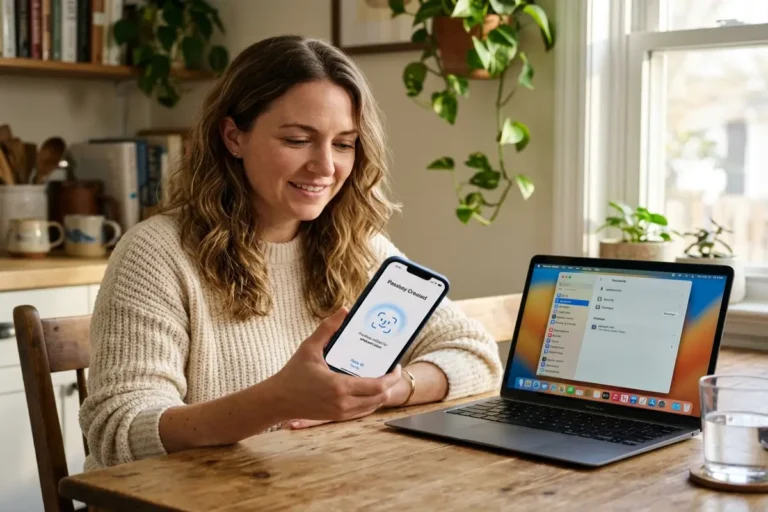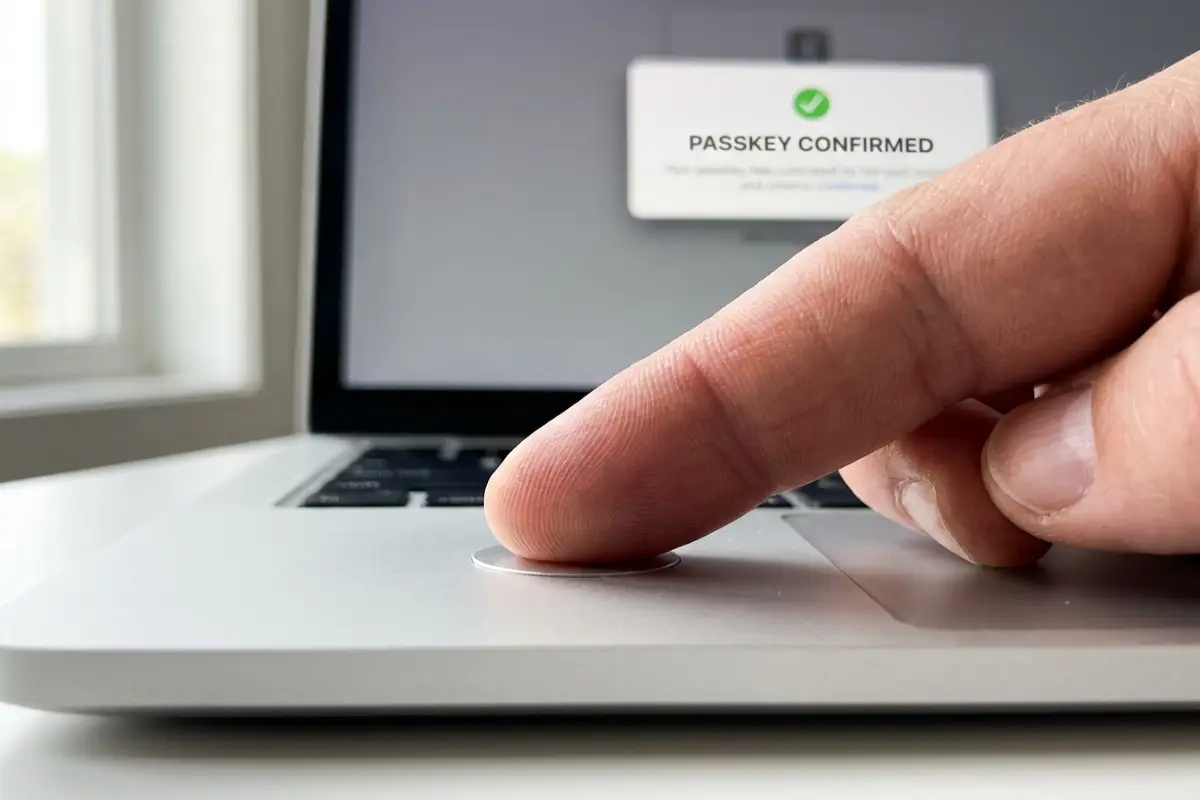

How passkeys work comes down to one substitution: a shared secret gets replaced with a mathematical key pair, and that single change eliminates an entire category of attack a password could never fully defend against. Five billion passkeys are already active worldwide, according to the FIDO Alliance’s October 2025 Passkey Index, and almost none of the people using one could explain what actually happens between tapping a fingerprint sensor and a website confirming their identity. This guide is that explanation, step by step, from key generation through the exact signal that defeats a phishing site. FIDO Alliance
The companion guide on passkeys vs passwords covers the adoption data and the threat landscape driving the shift. How passkeys work at the mechanical level is the piece that data alone doesn’t explain, and it is the piece that makes the security claim verifiable rather than something to take on faith.
The shared secret problem every password has
A password is, cryptographically speaking, a shared secret. Both the person and the service hold an identical or directly derivable copy of the same string, and that duplication is the entire vulnerability in one sentence: anyone who obtains either copy, by phishing the person or by breaching the service’s database, can authenticate as that person from anywhere.
The 2025 Verizon Data Breach Investigations Report found stolen credentials were the entry point in 88 percent of attacks against basic web applications, a figure that exists because the shared-secret model hands an attacker two equally useful targets: the person typing the password and the database storing it. Password length and complexity rules address guessing attacks specifically. They do nothing against phishing, because a twenty-character random password typed into a perfect copy of a real login page gets captured exactly as easily as a four-digit PIN would. The vulnerability lives in the act of typing a secret into a field at all, not in how strong that secret happens to be. SpyCloud
Two-factor authentication added a second check without changing this underlying model. A one-time code is still a value typed into a field and transmitted to the service, which means it can still be intercepted or relayed by a fast enough proxy sitting between the person and the real login page. The shared-secret problem persists even with a second factor layered on top of it, because the second factor is usually just another secret.
How passkeys work without a shared secret
How passkeys work starts with removing the shared half entirely. Public key cryptography, the foundation of the WebAuthn FIDO2 standard, eliminates the risks tied to credential theft by generating two mathematically related values instead of one shared string: a private key and a public key. The private key signs things. The public key verifies a signature without ever being able to produce one itself. Knowing the public key gives an attacker no path back to the private key, which is the property a shared password never had. Corbado
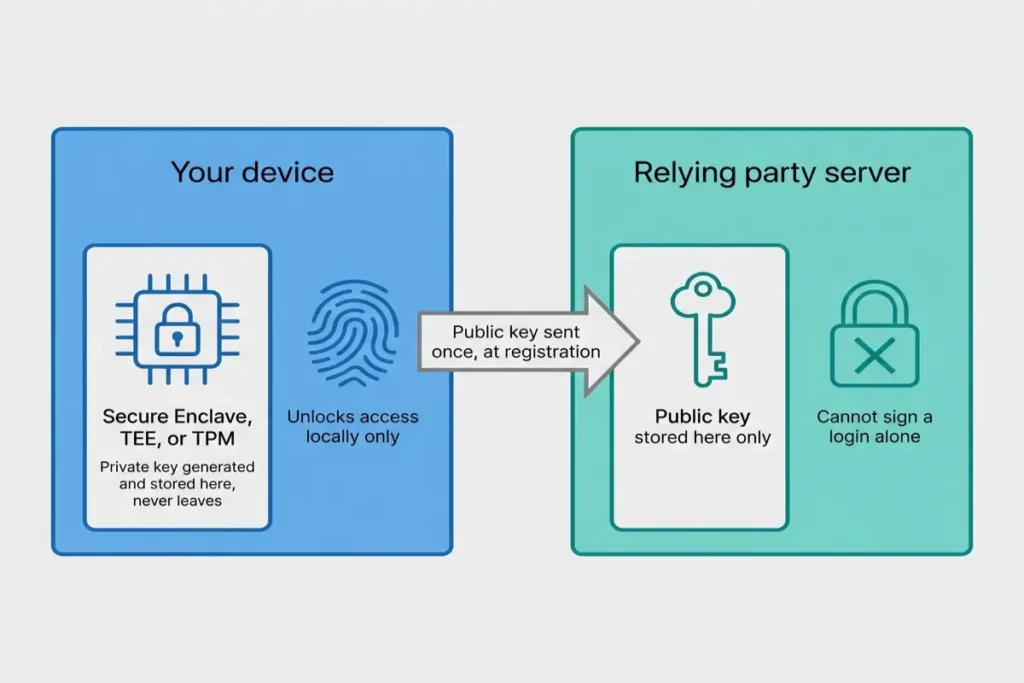
Registration creates this pair the moment an account first enrolls a passkey. The device generates both keys locally, in hardware, and only the public key ever leaves the device. It travels to the service once and gets stored there, attached to the account, where it sits functionally inert. A stolen database full of public keys gives an attacker nothing usable on its own, because a public key cannot sign a login challenge; only its matching private key can do that, and the private key never made the trip.
Security engineers use specific vocabulary for each side of this exchange. The device generating and holding the private key is the authenticator. The website or app receiving the public key is the relying party. Passkey registration is the formal name for the one-time step where these two sides agree on a public key for a given account, and the WebAuthn FIDO2 specification defines that step precisely enough that an authenticator built by one company and a relying party built by an unrelated bank can complete it successfully on the first attempt, which is exactly why how passkeys work in practice stays identical whether the authenticator is a phone, a laptop, or a dedicated hardware key.
Where the private key actually lives
Where the private key actually lives is the detail that determines how a passkey behaves day to day. On a phone or laptop, the key is generated and stored inside dedicated secure hardware: a Secure Enclave on Apple silicon, a Trusted Execution Environment on most Android devices, or a Trusted Platform Module on Windows machines. That hardware is built specifically to make key extraction impractical even for someone with full physical access to the device, a meaningfully different security property than a password file sitting in ordinary storage.
Biometric authentication, a fingerprint or a face scan, does not generate or store the private key. It authorizes access to it. The distinction matters because it answers the question almost everyone asks first: no, a fingerprint is never sent to a website, ever, under any implementation that follows the WebAuthn FIDO2 standard. The scan stays on the device, confirms locally that the person attempting to unlock the key is the same person who enrolled it, and the device only then permits the private key to sign anything.
Some passkeys live in a password manager instead of the operating system’s own keychain, which is one of the only places where how passkeys work in practice changes shape depending on setup choices, without changing the underlying cryptography at all. The differences between an OS-level keychain and a dedicated password manager for storing these keys, including which option fits which kind of account, are covered in passkey vs password manager.
Who actually governs the WebAuthn standard
Who actually governs the WebAuthn standard matters because it explains why how passkeys work remains identical across companies that compete aggressively everywhere else, regardless of brand. WebAuthn is built on public-key cryptography under the FIDO2 specification, backed by the FIDO Alliance, and the same protocol is implemented identically by every major browser rather than as a proprietary API specific to one vendor. The same logic governs passkey registration regardless of which platform initiates it. Corbado
NIST’s formal recognition of synced passkeys inside SP 800-63-4, finalized in July 2025, sits at a separate but related layer: it does not define the cryptography, which the FIDO Alliance and the web standards process already specify, but it tells US federal agencies and the regulated organizations that follow NIST guidance how to treat a passkey within a broader risk framework. The standard and the policy guidance reinforce each other without duplicating each other’s job. nist
The same collaborative structure shows up in the Credential Exchange Protocol work, where competitors including Apple, Google, Microsoft, 1Password, Bitwarden, and Dashlane contribute to the same draft specification rather than each building an incompatible private alternative, reflecting the same multi-vendor governance built into WebAuthn FIDO2 from the start. That cooperation is unusual in a competitive software market, and it exists specifically because passkey portability only has value if it works the same way regardless of which company built the wallet a person happens to be using. Corbado
How passkeys work: a verification checklist
How passkeys work is no longer something to take on faith after the explanation above, and a short checklist confirms it firsthand on any account. Settings or account-security pages on most major services show when passkey registration happened and which device type was recorded for it; that detail existing at all confirms attestation ran during setup. A sign-in attempt that prompts for a fingerprint or face scan, with no password field visible anywhere on the page, confirms the device is relying on biometric authentication through the passkey rather than silently falling back to public key cryptography’s absence, a typed secret.
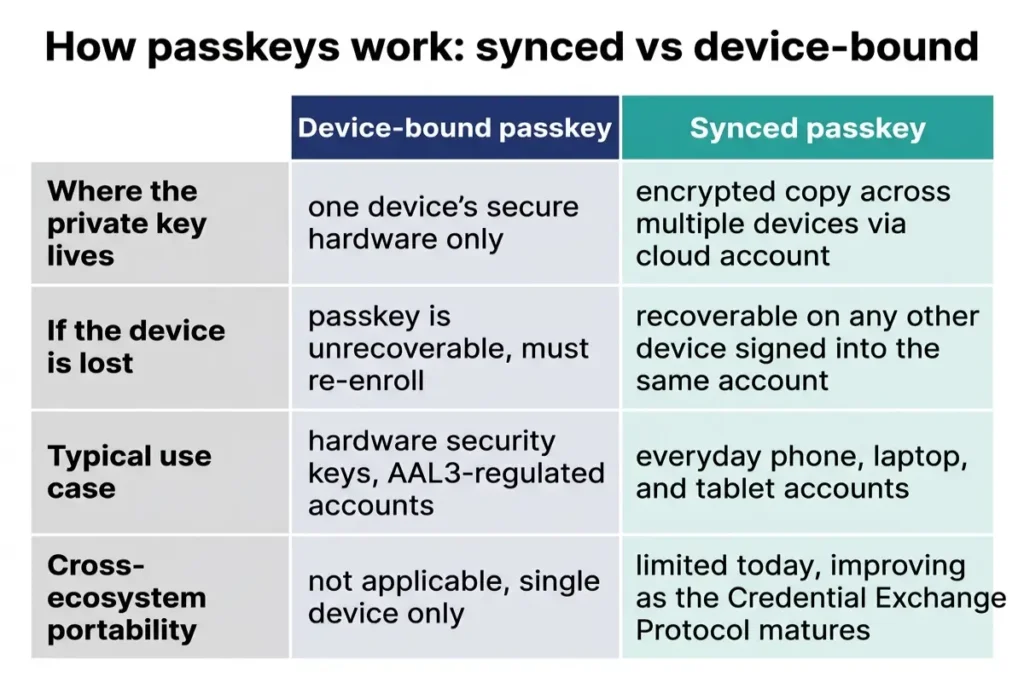
Checking whether a specific passkey is synced or device-bound, and confirming biometric authentication is still required on every device that holds it, usually shows up directly in that same settings page, often labeled by the platform that created it, iCloud Keychain, Google Password Manager, or a third-party app name. Attempting the same sign-in from a second device that should have access, if the passkey was meant to sync, is the most direct way to confirm synced vs device-bound passkeys actually behaved as expected rather than assuming it from documentation alone.
Five billion active credentials are built on exactly the mechanism walked through in this guide: a key pair instead of a shared secret, a domain check baked into the exchange itself, and a private key that, by design, never has a reason to leave the device it was created on. That is how passkeys work, and it is also the complete explanation for why the phishing-resistant claim made throughout the passkeys vs passwords guide holds up under technical scrutiny rather than collapsing into marketing language.
Who actually governs the WebAuthn standard
Who actually governs the WebAuthn standard matters because it explains why how passkeys work remains identical across companies that compete aggressively everywhere else, regardless of brand. WebAuthn is built on public-key cryptography under the FIDO2 specification, backed by the FIDO Alliance, and the same protocol is implemented identically by every major browser rather than as a proprietary API specific to one vendor. The same logic governs passkey registration regardless of which platform initiates it. Corbado
NIST’s formal recognition of synced passkeys inside SP 800-63-4, finalized in July 2025, sits at a separate but related layer: it does not define the cryptography, which the FIDO Alliance and the web standards process already specify, but it tells US federal agencies and the regulated organizations that follow NIST guidance how to treat a passkey within a broader risk framework. The standard and the policy guidance reinforce each other without duplicating each other’s job. nist
The same collaborative structure shows up in the Credential Exchange Protocol work, where competitors including Apple, Google, Microsoft, 1Password, Bitwarden, and Dashlane contribute to the same draft specification rather than each building an incompatible private alternative, reflecting the same multi-vendor governance built into WebAuthn FIDO2 from the start. That cooperation is unusual in a competitive software market, and it exists specifically because passkey portability only has value if it works the same way regardless of which company built the wallet a person happens to be using. Corbado
How passkeys work: a verification checklist
How passkeys work is no longer something to take on faith after the explanation above, and a short checklist confirms it firsthand on any account. Settings or account-security pages on most major services show when passkey registration happened and which device type was recorded for it; that detail existing at all confirms attestation ran during setup. A sign-in attempt that prompts for a fingerprint or face scan, with no password field visible anywhere on the page, confirms the device is relying on biometric authentication through the passkey rather than silently falling back to public key cryptography’s absence, a typed secret.
Checking whether a specific passkey is synced or device-bound, and confirming biometric authentication is still required on every device that holds it, usually shows up directly in that same settings page, often labeled by the platform that created it, iCloud Keychain, Google Password Manager, or a third-party app name. Attempting the same sign-in from a second device that should have access, if the passkey was meant to sync, is the most direct way to confirm synced vs device-bound passkeys actually behaved as expected rather than assuming it from documentation alone.
Five billion active credentials are built on exactly the mechanism walked through in this guide: a key pair instead of a shared secret, a domain check baked into the exchange itself, and a private key that, by design, never has a reason to leave the device it was created on. That is how passkeys work, and it is also the complete explanation for why the phishing-resistant claim made throughout the passkeys vs passwords guide holds up under technical scrutiny rather than collapsing into marketing language.