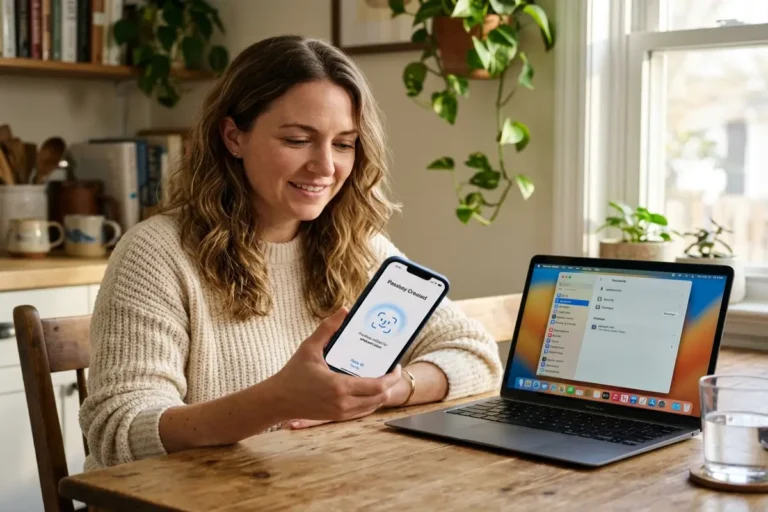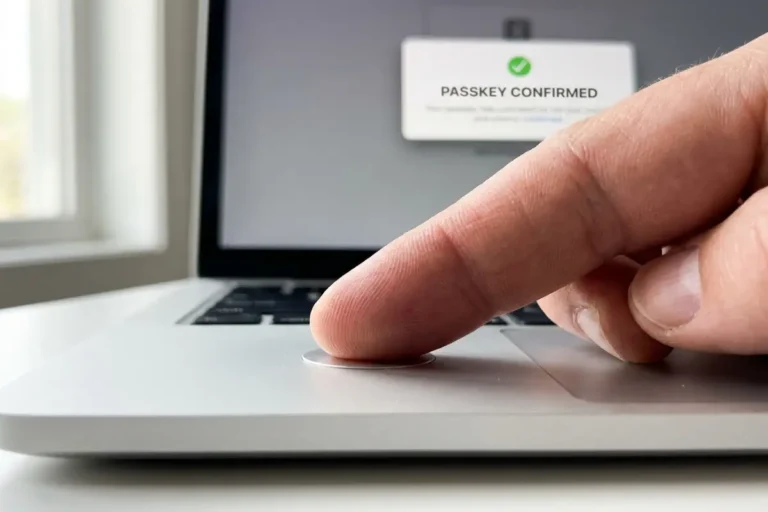

Passkey vs password manager is the wrong framing for most people asking the question, because the two aren’t actually competing for the same job. A passkey replaces the password on one specific account. A password manager is the vault, the syncing mechanism, and increasingly the storage location for passkeys themselves, that makes managing dozens of those accounts practical at all. The real question buried inside passkey vs password manager is narrower and more useful: once an account supports a passkey, does it still need a place in a password manager, or does the operating system’s own keychain do the job just as well.
The companion guide on how passkeys work covers the cryptography behind the credential itself. Passkey vs password manager is a question about where that credential, and everything else still protected by a typed password, actually lives day to day, and the answer depends on how many devices, operating systems, and legacy accounts a specific person actually has to manage.
Why this question keeps coming up in 2026
Roughly half of the top 100 websites now offer passkey sign-in, more than double the share from 2022, but that leaves the other half, plus a much longer tail of smaller services, still running on passwords alone. That mixed reality is precisely why this comparison matters practically rather than academically. A person managing forty accounts where six have passkeys and thirty-four still need passwords is solving a storage problem, not a cryptography problem, and the storage problem is what a password manager, or an operating system’s built-in equivalent, actually exists to solve.
Apple, Google, and Microsoft have each built a default place for passkeys directly into their operating systems, iCloud Keychain, Google Password Manager, and Windows Hello respectively, without requiring anyone to install anything extra. That default is good enough for plenty of people, which is exactly why whether a separate password manager still earns its place has become a live question rather than a settled assumption carried over from the password-only era.
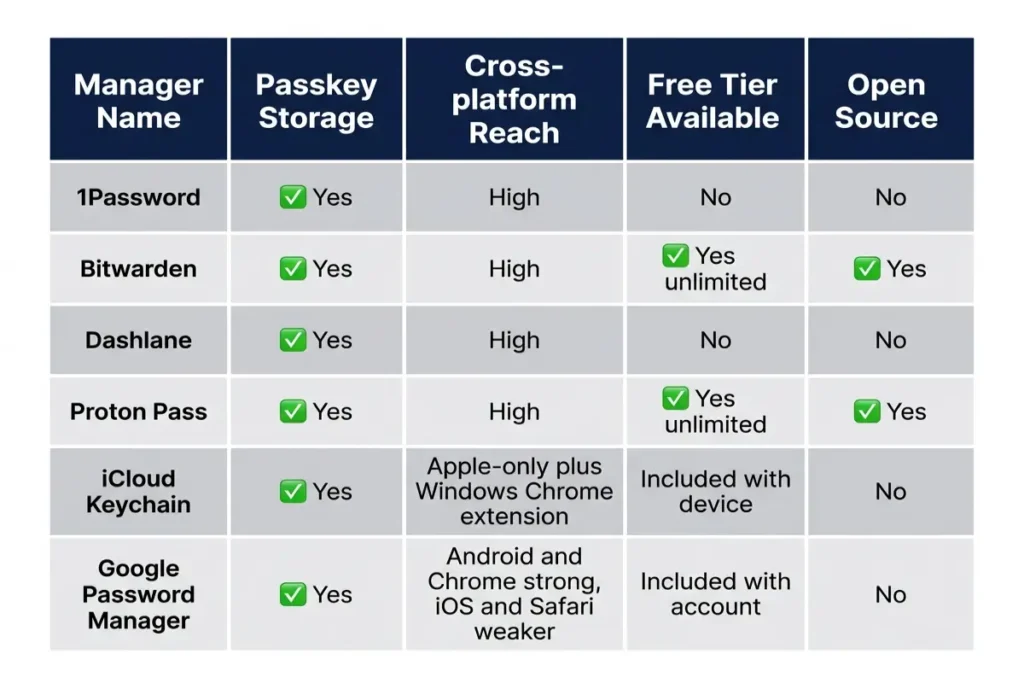
The cross-platform gap is where the OS default starts to show its limits. iCloud Keychain works seamlessly across Apple devices and offers only a Windows-only Chrome extension for everything else, leaving Android and non-Chrome browsers outside its reach entirely. Google Password Manager covers Android and Chrome well but offers a thinner experience on iOS and Safari. Anyone whose daily devices span both ecosystems, an iPhone and a Windows laptop, or an Android phone and a Mac, runs into a gap neither OS default closes on its own.
Passkey vs password manager: what each one actually does
Passkey vs password manager only makes sense as a comparison once the actual division of labor is clear. A passkey is a credential, a specific cryptographic key pair tied to one account, covered step by step in how passkeys work. A password manager is a container, a piece of software whose job is storing, syncing, and auto-filling credentials, whether those credentials are still passwords or have become passkeys.
Every credential manager worth using in 2026 supports passkey storage alongside traditional passwords, including Apple’s and Google’s own built-in options and third-party tools such as 1Password, Bitwarden, Dashlane, and Proton Pass. The practical question isn’t whether a password manager can hold a passkey; it’s whether the specific manager someone already trusts with their passwords is also the best place to trust with passkeys, or whether the operating system’s default does that part of the job better.
A password manager’s job was never only about passkeys, or even only about passwords. Secure notes, software license keys, Wi-Fi credentials, and the steadily shrinking but still real list of accounts with no passkey option at all still need somewhere encrypted to live. That broader job is the part of passkey vs password manager that a pure operating-system keychain, built specifically around an Apple ID or a Google account, was never really designed to cover as completely.
Which password managers actually support passkeys
Which password managers actually support passkeys changed meaningfully over the past two years, and the gap between early adopters and the rest has mostly closed. 1Password added native passkey creation and storage as part of its broader password manager passkey support rollout, surfacing alongside iCloud Keychain whenever a site offers passkey enrollment, with stored passkeys syncing across every device the account is signed into. Bitwarden, the most widely used open-source option, added the same capability and stores it inside the same encrypted vault as everything else, audited by the same third parties that review its core password storage.
Dashlane and Proton Pass followed the same path, each treating a passkey as just another credential type inside an existing encrypted vault rather than building a separate system for it. The FIDO Alliance’s own reporting on 2024 adoption lists Apple, Google, Microsoft, 1Password, Bitwarden, and Dashlane together among the credential managers giving consumers flexibility and choice in how passkeys get stored, which is a fairly direct confirmation that none of the major options are behind on this specific feature anymore. FIDO Alliance
The remaining differences between these options are not about passkey storage support, since at this point all of them offer it. They are about where the underlying private key physically sits once it’s inside that manager, which device types can access it, and what happens to it if the provider itself ever shuts down. None of that changes the basic passkey vs password manager verdict on the support question itself: it exists everywhere now. Where credential portability comes into the picture, when someone wants to move a passkey from one manager to another, is the subject of Part 2.
Where a passkey is safer stored: the OS keychain or a dedicated manager
Passkey vs password manager, once narrowed to a security question rather than a feature checklist, comes down to a property easy to overlook: whether the platform holding the credential operates under a zero-knowledge architecture, meaning the provider itself cannot decrypt the vault even under a legal order or a server-side breach. Apple’s iCloud Keychain only reaches that property once Advanced Data Protection is turned on; without it, Apple holds the encryption keys for the iCloud backup containing that keychain. Google Password Manager’s default state is comparable, with Google able to technically access account data absent a similar opt-in protection layer.
Dedicated password managers built specifically for credential storage, 1Password, Bitwarden, and Proton Pass among them, operate under zero-knowledge architecture by default rather than as an opt-in setting, verified through published third-party security audits rather than a privacy policy alone. That distinction matters most for the accounts a person would be most upset to lose control of: a primary email, a financial account, or anything tied to account recovery for everything else.
None of this makes the operating-system default unsafe. A synced passkey inside iCloud Keychain or Google Password Manager still requires a device-level biometric or PIN check to unlock, and the underlying private key generation and storage inside secure hardware works identically regardless of which platform is managing the sync. The zero-knowledge distinction is about who could theoretically access the vault under specific circumstances, not about whether the day-to-day sign-in is any less secure.
Shared access is where the operating-system default shows a real gap regardless of zero-knowledge status. iCloud Keychain and Google Password Manager are built around a single Apple ID or Google account; sharing a credential with a family member or a colleague means sharing that entire account’s sign-in, not just one entry. Dedicated managers built shared vaults specifically for this case, letting a household or a team share defined groups of credentials, passkey storage included, without handing over access to everything else in the vault.
The legacy account problem no passkey rollout solves alone
The long tail of services that still only support a password, smaller websites, internal tools, regional services, and a meaningful share of enterprise software, is the part of any passkey rollout a password manager actually has to solve, because a passkey can’t be invented for a service that hasn’t built support for one yet. This is the legacy account problem, and it doesn’t shrink just because the accounts that matter most have already moved to passkeys.
Major financial services and e-commerce sites have largely added passkey support by now, but plenty of everyday accounts haven’t: a local utility provider’s billing portal, a niche hobby forum, a small business’s customer login. None of those are high-value targets individually, but a password manager treats all of them the same way regardless of how interesting they’d be to an attacker, which is exactly the point of having one vault rather than a mental list of which accounts matter enough to protect carefully. PanicVault
A password manager’s password generator, breach monitoring, and autofill still do real work on every account stuck in that category. The credential-reuse risk covered in the passkeys vs passwords pillar guide doesn’t disappear just because a person’s most important accounts switched to passkeys; it just concentrates onto whatever’s left running on a typed password, which is exactly where a password manager’s strongest features, beyond basic password manager passkey support, still earn their keep.
Treating the password manager as the permanent home for everything that hasn’t converted yet, rather than something to delete once the high-value accounts have a passkey, is the practical posture this guide recommends. The legacy account list shrinks gradually as more services add passkey support; it doesn’t disappear on any predictable schedule, which is the most honest answer to passkey vs password manager for anyone expecting a clean finish line.
Credential portability: moving passkeys between providers
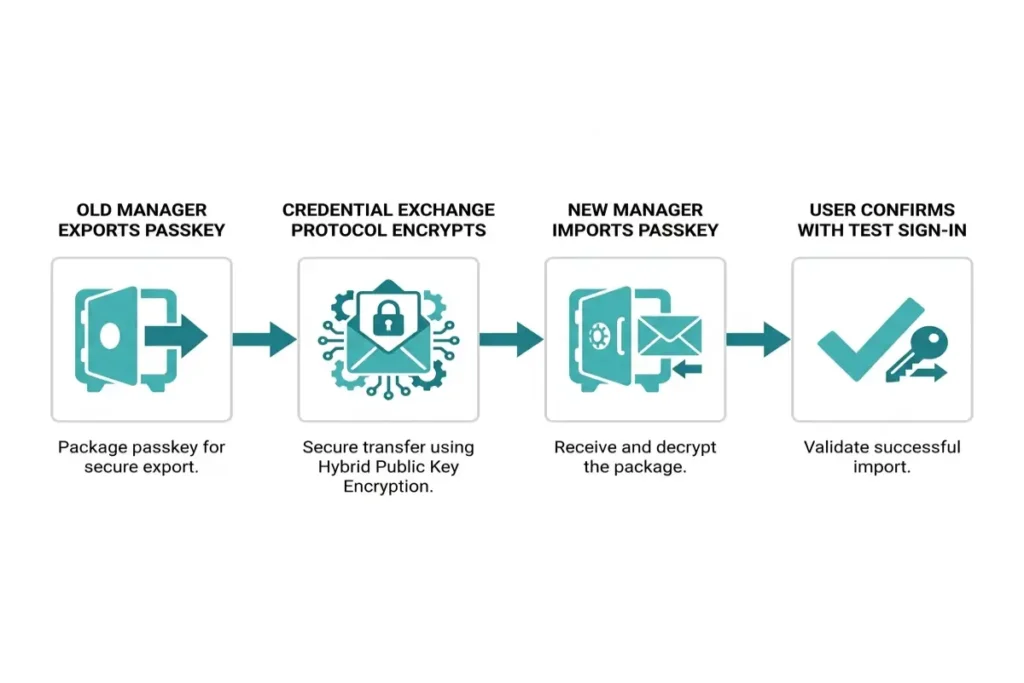
Credential portability is the part of the passkey vs password manager relationship that used to make switching providers a genuine ordeal. Moving a passkey from one manager to another without deleting and re-enrolling it by hand was, until recently, effectively impossible. The FIDO Alliance’s Credential Exchange Protocol and Credential Exchange Format change that by standardizing an encrypted transfer format that multiple vendors, including Apple, Google, Microsoft, 1Password, Bitwarden, and Dashlane, have agreed to implement against the same specification rather than each building an incompatible private export tool. Corbado
Apple shipped the first major platform implementation of the Credential Exchange standards in iOS 26 in September 2025, and Bitwarden was among the first credential managers to support secure, end-to-end encrypted transfers of passkeys and passwords into and out of Apple’s own password storage using that standard. The transfer protocol itself uses Hybrid Public Key Encryption to keep the credential encrypted end to end during the move, with full cross-vendor standardization targeted for early 2026. Yahoo FinanceCorbado
Before this protocol existed, the only export option most managers offered was a CSV file: plain text, unencrypted, and a real liability if it sat in a Downloads folder for more than a few minutes. Credential portability built on an encrypted exchange standard removes that specific risk from the migration process itself, which matters most for anyone consolidating credentials into a single manager for the first time.
Anyone migrating into a new manager for the first time should confirm a transferred passkey actually works with a test sign-in before deleting the original copy from wherever it came from. The standard is new enough in 2026 that verifying the result directly costs two minutes and removes any doubt about whether the transfer completed correctly.
Passkey vs password manager: the right setup for most people in 2026
Passkey vs password manager, resolved practically rather than theoretically, comes down to a simple default for most people: use whichever password manager already holds the bulk of existing passwords, confirm it has turned on passkey storage, and let new passkeys land there automatically going forward rather than splitting credentials across two separate systems. Splitting passkeys into the operating system’s keychain while passwords stay in a dedicated manager creates exactly the kind of fragmented setup this guide is trying to help people avoid: two places to check during a lost-device scenario instead of one.
For someone who has never used a dedicated manager and has no cross-platform need, one operating system and one browser, no Windows-and-Android mix, the built-in default earns its keep through sheer simplicity. iCloud Keychain or Google Password Manager, with the relevant protection setting turned on, covers passkey storage and passwords adequately without adding a second subscription or app to manage.
Anyone who already pays for or actively uses 1Password, Bitwarden, Dashlane, or Proton Pass should keep using that same manager for passkeys rather than letting them default into the OS keychain by accident. Checking that the manager’s passkey support is actually enabled, since it’s sometimes an opt-in toggle rather than the default behavior, takes under a minute and avoids accidentally building a second, forgotten vault alongside the main one.
Confirming this setting takes the same few seconds in every major manager: open the app’s settings, look for a passkey or WebAuthn section, and verify it shows as enabled rather than merely available. A surprising number of accounts end up with a passkey sitting in the operating system default specifically because that toggle was never flipped inside the third-party app’s password manager passkey support settings someone assumed was already handling it.
When a dedicated password manager is still the better default
A dedicated password manager is still the better default whenever the gap between platforms matters more than the convenience of doing nothing extra, which is the cross-platform half of the passkey vs password manager decision most people underestimate. Anyone splitting time between an iPhone and a Windows PC, or an Android phone and a Mac, runs into the cross-platform sync gap covered earlier in this guide the moment they try to use a passkey created on one ecosystem from inside the other, regardless of which side offers stronger zero-knowledge architecture guarantees.
Family and team sharing is the second case. A household sharing a streaming subscription, a small business sharing a handful of work logins, or a couple sharing a joint account benefits from a manager’s shared-vault feature, which grants access to specific credentials without handing over the entire account the way sharing an Apple ID or Google Account login would.
Anyone with a regulatory or compliance reason to care about AAL3-style device-bound requirements, covered from the cryptography angle in how passkeys work, needs a manager or hardware key that explicitly supports and documents that distinction rather than assuming any synced passkey satisfies it. A manager with a published zero-knowledge architecture audit and clear documentation of its key storage model makes that conversation with a compliance team considerably shorter.
Vendor lock-in and what happens if a provider shuts down
Vendor lock-in used to be the strongest argument against trusting a third-party manager with anything as important as a passkey, and credential portability is the specific feature built to weaken that argument. Before the standard covered earlier in this guide existed, a manager that shut down or got acquired and discontinued could leave passkeys stranded with no supported export path at all, since passkeys, unlike passwords, were never exportable as plain text in the first place.
A manager built on the Credential Exchange standard can now move its users’ credentials, passkeys included, to a different provider through an encrypted transfer rather than leaving them with nothing. That protection is only as good as how many major providers have actually implemented it, and as of 2026 implementation is still rolling out unevenly rather than universally, which is a reasonable factor to weigh before consolidating everything into one provider.
The safest practical hedge, regardless of which manager someone chooses, is keeping at least one passkey enrolled directly through the operating system’s own keychain on the handful of highest-value accounts, alongside whatever lives in a third-party manager’s zero-knowledge architecture vault. That redundancy costs nothing and means losing access to one system, whether through a forgotten master password or a provider shutting down, doesn’t mean losing access to everything at once.
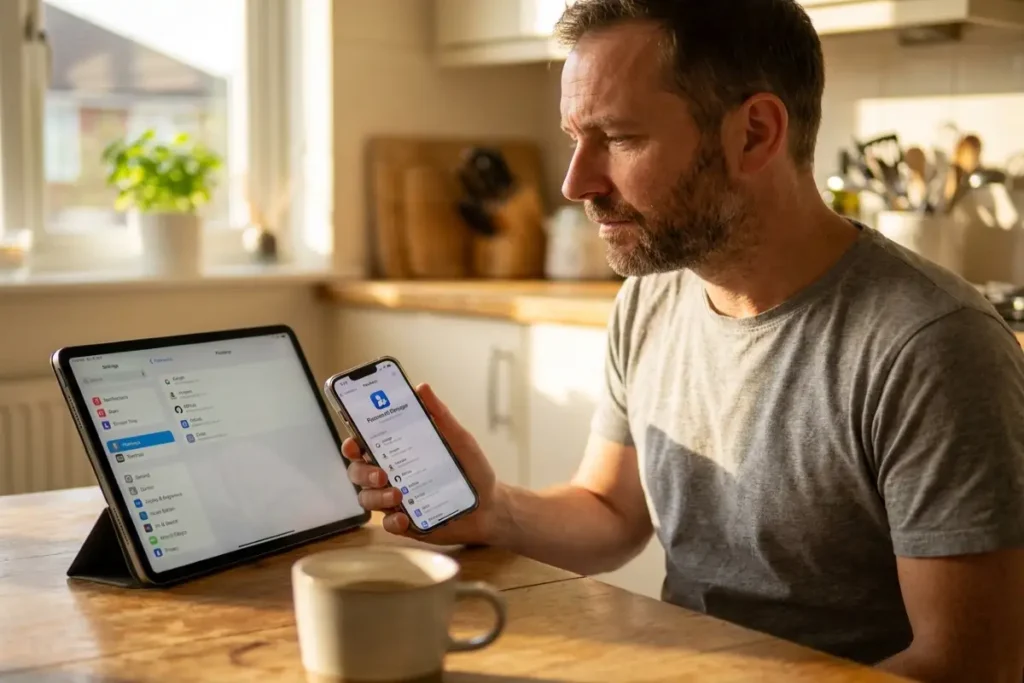
Your passkey vs password manager decision checklist
Your passkey vs password manager decision checklist starts with an inventory rather than a choice. List which accounts currently hold a passkey, which manager or keychain each one’s passkey actually lives in, and which accounts still run on a password alone. Most people discover this list is messier than expected the first time they actually write it out.
Pick one primary location for new passkeys going forward, the operating system default for a single-platform setup, or an existing password manager for anyone already using one or working across platforms, and confirm passkey storage is actively turned on there rather than assumed. The full platform-by-platform setup steps for getting a passkey properly enrolled and backed up are in how to set up passkeys.
Move the handful of highest-value accounts, primary email, the account holding the password vault itself, and any financial account that supports it, to a passkey first, and leave the password manager running underneath everything else exactly as before. Passkey vs password manager was never a question with one universal answer; it’s a question with one answer per account, and the checklist above is what makes that answer consistent rather than accidental.