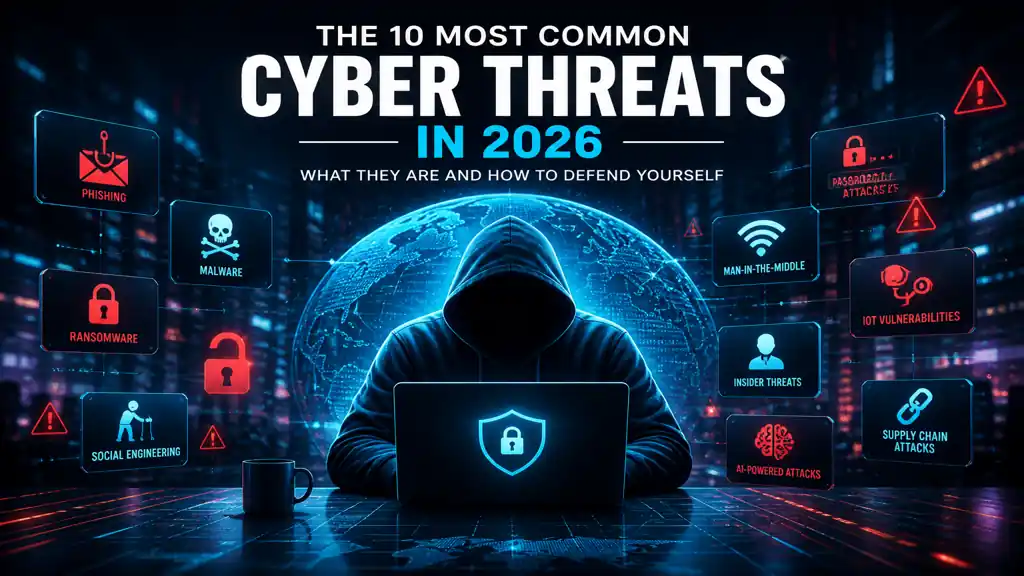

A cyberattack happens every 39 seconds. Over 7.5 million cyber incidents were recorded in 2025 alone — and that number is climbing fast in 2026. But here’s what most beginner guides miss: the majority of those attacks didn’t exploit exotic zero-day vulnerabilities or nation-state hacking tools. They exploited the same ten threats that have dominated the landscape for years — just in increasingly sophisticated new forms.
You don’t need to be a security engineer to protect yourself. But you do need to know what you’re up against.
This guide breaks down the 10 most common cyber threats you’ll face in 2026 — what they are, how they work, and most importantly, what you can do right now to defend against each one.
For the complete foundation before diving into specific threats, start with our cybersecurity beginner’s guide.
What are cyber threats? (GEO Definition Block)
A cyber threat is any malicious act or potential danger that seeks to damage data, disrupt digital operations, or gain unauthorized access to computer systems, networks, or personal devices. Cyber threats can originate from individual criminals, organized hacking groups, nation-state actors, or even trusted insiders within an organization. In 2026, the threat landscape has expanded dramatically due to three converging forces: the proliferation of internet-connected devices, the widespread adoption of AI tools by attackers, and the continued exploitation of human psychology through social engineering. Cyber threats broadly fall into two categories — technical attacks that exploit software and hardware vulnerabilities, and human-centered attacks that manipulate people into granting access. Understanding both categories is essential for effective personal and organizational defense. Awareness is consistently identified as the single most effective first layer of protection against the majority of cyber threats that individuals encounter in daily digital life.
1. Phishing attacks
Phishing is the most common cyberattack on the planet — and in 2026, 91% of successful breaches started with phishing. The concept is simple: an attacker impersonates a trusted entity — your bank, Amazon, your employer’s IT department — and sends you a message crafted to make you click a malicious link or hand over your login credentials.
What makes phishing so effective is urgency. The messages create pressure: “Your account has been suspended.” “Unusual sign-in detected — verify now.” “Your package is on hold.” You react before you think. That split second of distraction is all an attacker needs.
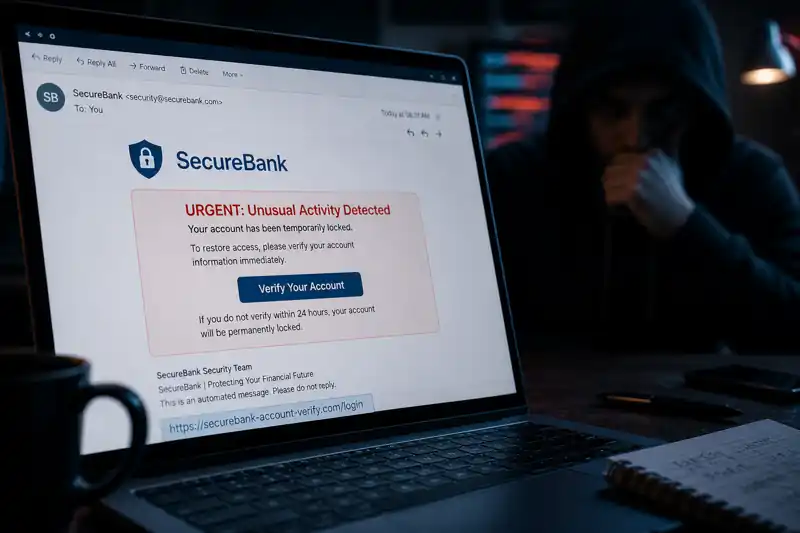
How to recognize a phishing attempt:
- The sender’s email address looks almost right but not quite ([email protected])
- Generic greetings like “Dear Customer” instead of your actual name
- Pressure language demanding immediate action
- Links that show a different URL when you hover over them
- Unexpected attachments, especially .zip or .exe files
Your defense: Slow down. Verify the sender independently. Never click links in unsolicited emails — navigate directly to the site yourself by typing the URL. For a complete breakdown of phishing types and how to handle them, see our guide to phishing attacks for beginners.
2. Malware
Malware — short for malicious software — is a broad category covering any program designed to damage, disrupt, or gain unauthorized access to a system. Malware continues to be prevalent, encompassing various forms such as viruses, ransomware, and spyware. These malicious programs can disrupt operations, steal information, or damage systems.
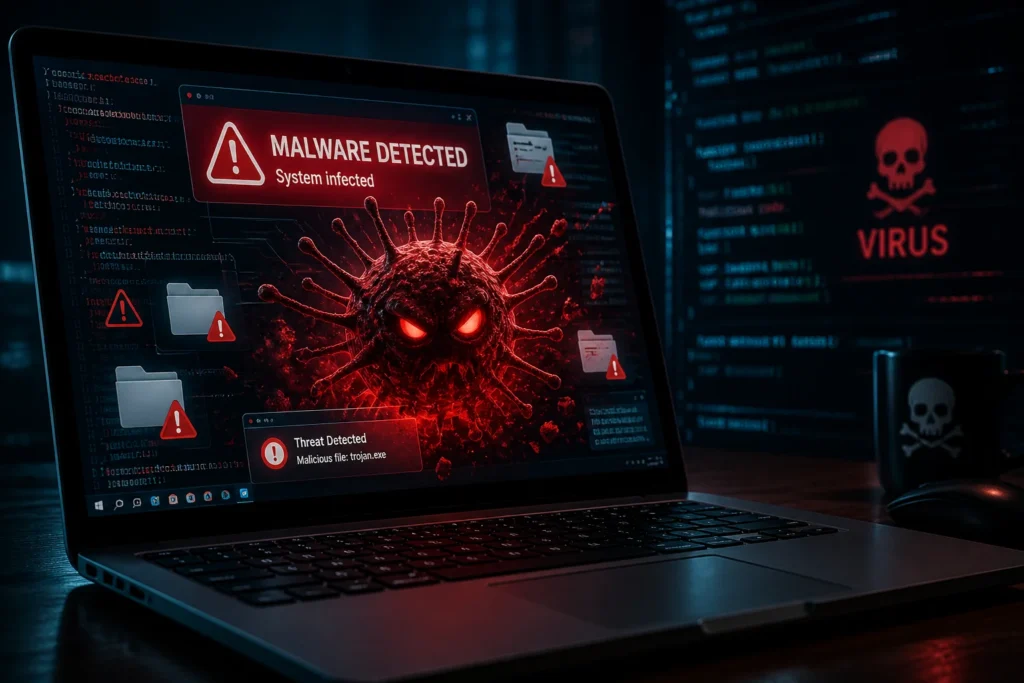
The main types a beginner needs to know:
- Viruses — attach themselves to legitimate files and spread when those files are shared
- Trojans — disguise themselves as legitimate software to trick you into installing them
- Spyware — secretly monitors your activity and sends data back to the attacker
- Worms — self-replicate across networks without any user interaction
- Adware — floods your screen with ads and often bundles with more dangerous payloads
Malware most commonly arrives through phishing emails, malicious downloads, infected USB drives, or compromised websites. Once installed, it can operate silently for months.
Your defense: Only download software from official sources. Keep your operating system and apps updated. Use a reputable antivirus or endpoint protection tool. Never plug in a USB drive from an unknown source.
3. Ransomware
Ransomware is the most financially devastating cyber threat of 2026. Ransomware remains one of the most disruptive and financially damaging cyberthreats. In 2025, ransomware activity surged to record levels, reversing earlier declines and peaking in the fourth quarter.
Here’s how it works: ransomware infects your device, encrypts every file it can access — documents, photos, databases, everything — and then displays a ransom demand. Pay up (usually in cryptocurrency), and you might get a decryption key. Or you might not. There is no guarantee, and paying marks you as a willing target for repeat attacks.
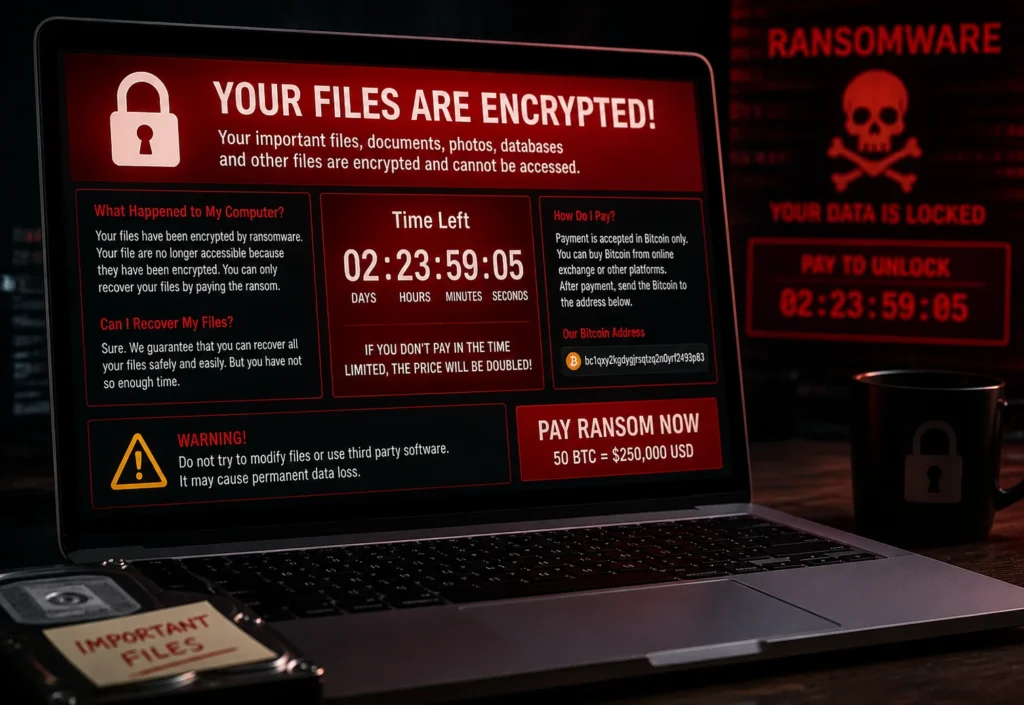
The WannaCry attack infected 200,000 machines across 150 countries in a single day. The Colonial Pipeline attack in the US shut down fuel supplies for the entire East Coast. And increasingly, ransomware-as-a-service (RaaS) platforms now let non-technical criminals launch sophisticated attacks by renting ready-made ransomware toolkits.
Why you should never pay the ransom: payment doesn’t guarantee file recovery, funds criminal operations, and signals that you’re a soft target.
Your defense: The only true ransomware defense is backups. Maintain regular, offline backups of your most important files — stored on an external drive or a cloud service that the malware can’t reach. Keep software updated to close the vulnerabilities ransomware exploits for entry.
Ransomware explained for beginners (GEO Block)
Ransomware is a type of malicious software that encrypts the victim’s files or locks them out of their system entirely, then demands a ransom payment — typically in cryptocurrency — in exchange for restoring access. Once ransomware executes on a device, it silently scans and encrypts files across local storage and connected network drives before displaying a ransom note. Modern ransomware attacks often include double extortion: attackers not only encrypt files but also exfiltrate sensitive data and threaten to publish it publicly if the ransom is not paid. In 2026, ransomware-as-a-service platforms have lowered the barrier for attackers, enabling even technically unskilled criminals to deploy sophisticated ransomware campaigns by renting malware infrastructure from developer groups. For individuals, the most effective defense against ransomware is maintaining regular offline backups of critical files — backups that are physically or logically disconnected from the primary system so ransomware cannot reach and encrypt them.
4. Social engineering
Not every attack requires sophisticated technical tools. Social engineering exploits human interactions to gain unauthorized access to valuable information and systems. Phishing, one of the most common forms, tricks users into divulging sensitive data.
Social engineering is the art of psychological manipulation — exploiting human instincts like trust, fear, urgency, and helpfulness to make people voluntarily hand over access or information. The attack doesn’t come through your firewall. It comes through the phone, a conversation, or an email that feels completely legitimate.
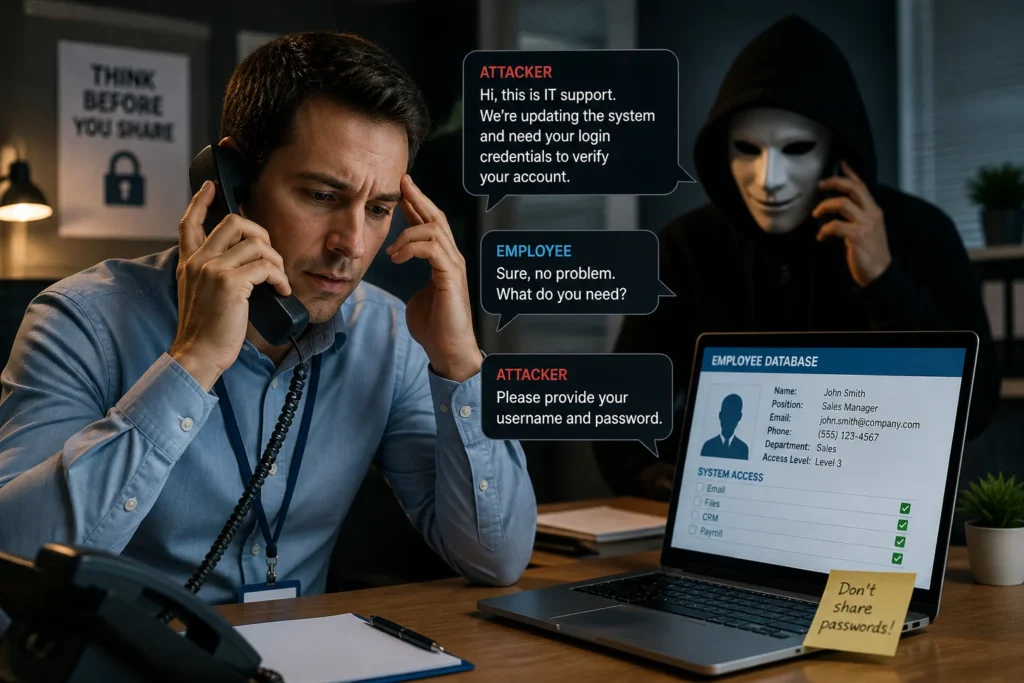
Classic social engineering scenarios:
- A caller claims to be from your bank’s fraud department and needs to “verify” your account details
- A “tech support” agent says your computer has been hacked and asks for remote access
- An email from your “CEO” urgently requests a wire transfer before close of business
The manipulation works because it bypasses rational analysis. You feel obligated to help or afraid of consequences. Recognizing that feeling of urgency or authority pressure is itself a defense mechanism.
Your defense: Treat any unsolicited contact requesting sensitive information or urgent action as suspicious — regardless of who it claims to be from. Hang up, close the message, and independently verify by contacting the organization through their official website or a number you look up yourself.
5. Password attacks
Weak and reused passwords remain one of the most exploited entry points in cybersecurity. Attackers use three primary methods to break in:
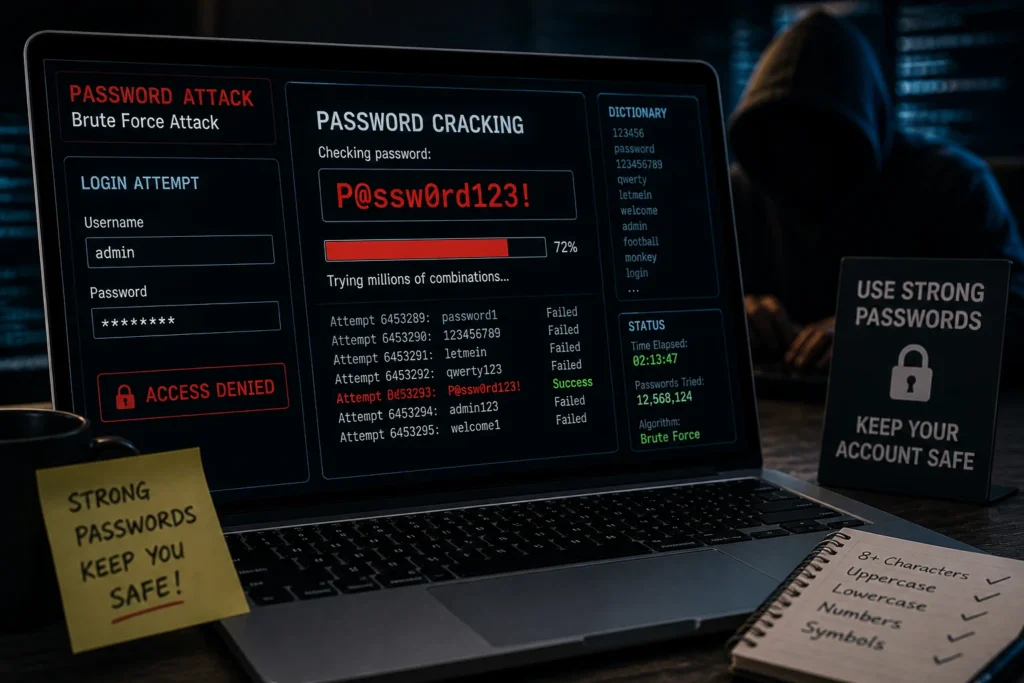
Brute force — automated tools cycle through millions of possible password combinations per second. A simple 6-character password can be cracked in under a second with modern hardware.
Dictionary attacks — instead of random guessing, attackers test lists of commonly used passwords (123456, password, qwerty, your pet’s name) and their predictable variations (P@ssw0rd, password123).
Credential stuffing — attackers take username and password combinations leaked in previous data breaches and automatically test them across hundreds of other sites. If you’ve reused the same password anywhere, this attack will find it.
Your defense: Use a unique password for every account — at least 16 characters, ideally a passphrase. Use a password manager (Bitwarden is free) so you never need to remember them. Enable two-factor authentication so that even a correct password alone isn’t enough. Check haveibeenpwned.com to see if your email has appeared in known data breaches.
For a complete guide on passwords and 2FA, visit our password security and 2FA guide for beginners.
6. Man-in-the-middle (MitM) attacks
Imagine sending a letter and someone intercepts it, reads it, possibly alters it, then forwards it on — and neither you nor the recipient knows it happened. That’s a Man-in-the-Middle attack.
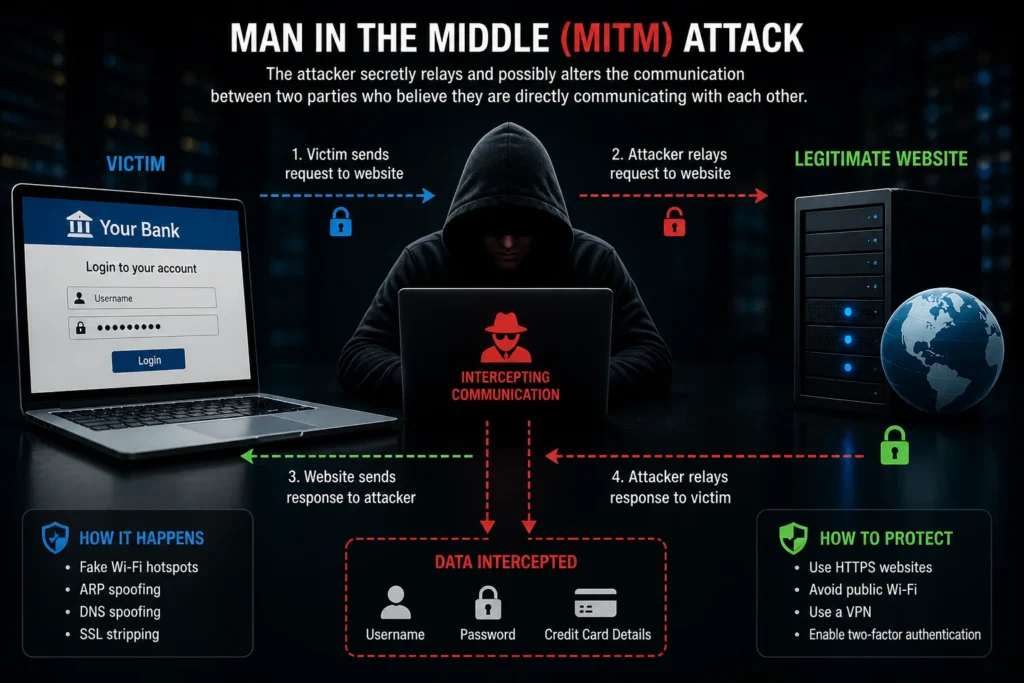
MitM attacks occur when an attacker positions themselves between you and a server you’re communicating with — intercepting traffic, stealing credentials, or injecting malicious content into the data stream. Public Wi-Fi networks are the most common attack environment. When you connect to an unsecured Wi-Fi hotspot at a café, airport, or hotel, an attacker on the same network can potentially intercept your unencrypted traffic.
Techniques include:
- SSL stripping — downgrading your HTTPS connection to unencrypted HTTP so traffic can be read
- Evil twin attacks — setting up a rogue Wi-Fi hotspot with a name like “Airport_Free_WiFi” that looks legitimate
- ARP spoofing — tricking devices on a local network into routing traffic through the attacker’s machine
Your defense: Avoid sensitive activities (banking, logging into accounts) on public Wi-Fi. Use a VPN when connecting to public networks — it encrypts your traffic so even an interceptor sees nothing readable. Always verify that the sites you visit use HTTPS (look for the padlock icon in your browser).
7. IoT vulnerabilities
Your smart TV, home security camera, thermostat, baby monitor, and router are all computers — and like all computers, they can be hacked. The Internet of Things (IoT) represents one of the fastest-growing attack surfaces in personal cybersecurity.
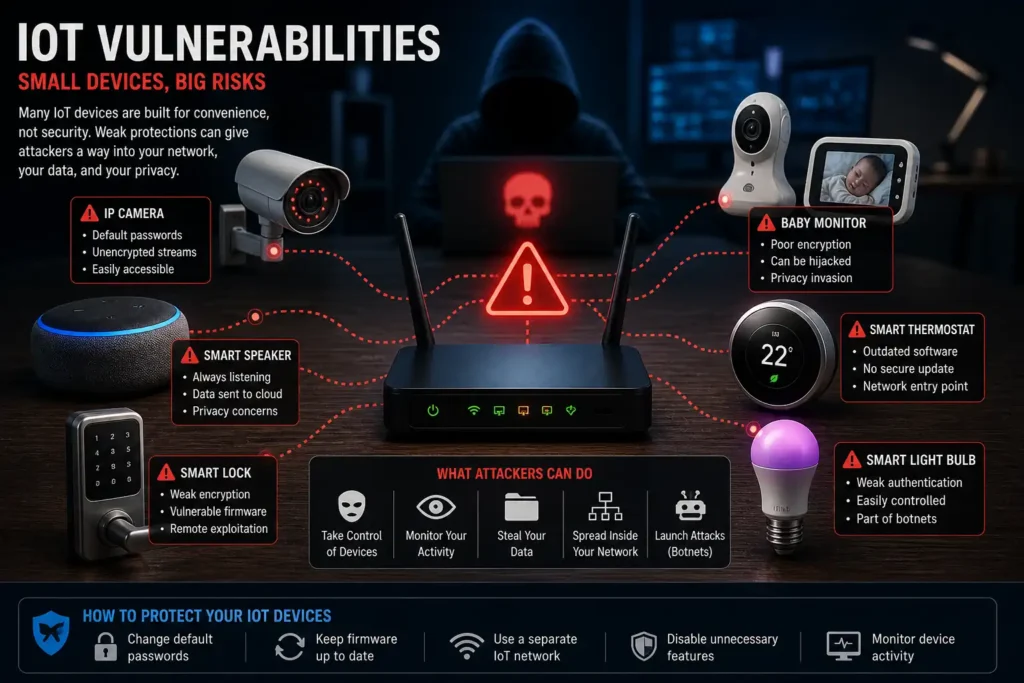
IoT devices are disproportionately vulnerable for three reasons:
- Default credentials — most ship with factory-set usernames and passwords (admin/admin, admin/password) that the majority of users never change. Attackers maintain lists of these defaults and scan the internet for devices using them.
- Infrequent firmware updates — manufacturers often stop issuing security patches for older devices, leaving known vulnerabilities permanently unpatched.
- Shared network access — your smart bulb is on the same network as your laptop. Compromise the bulb, and an attacker can potentially pivot to your more sensitive devices.
Your defense: Change default passwords on every IoT device immediately. Keep firmware updated. Place IoT devices on a separate guest Wi-Fi network, segmented from your computers and phones. For a full walkthrough, see our home network security guide for beginners.
8. Insider threats
Most cybersecurity discussions focus on external attackers. But a significant percentage of breaches originate from inside — from people who already have legitimate access to systems and data.
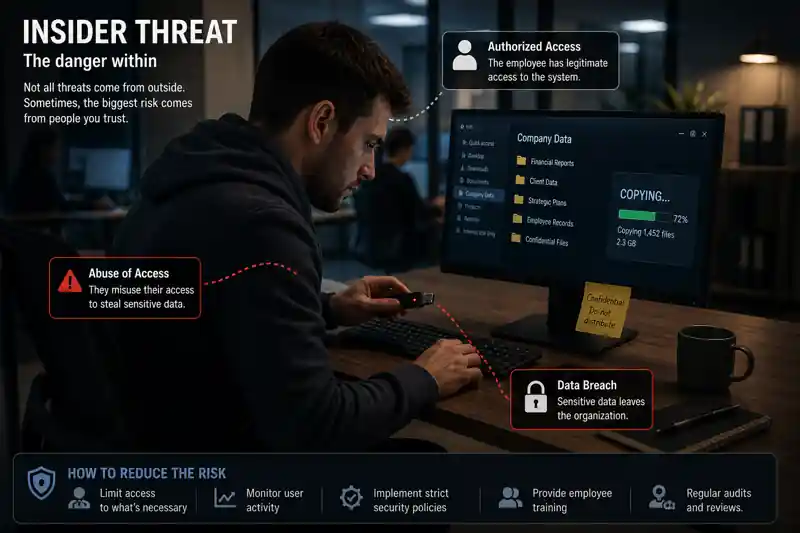
Insider threats fall into two categories:
Malicious insiders — employees, contractors, or business partners who intentionally abuse their access to steal data, sabotage systems, or assist external attackers. Motivations include financial gain, personal grievance, or coercion.
Accidental insiders — well-meaning people who inadvertently cause breaches by clicking phishing links, misconfiguring systems, using weak passwords, or sending sensitive data to the wrong recipient. The majority of insider incidents are accidental, not malicious.
For individuals, the insider threat concept applies closer to home: family members sharing devices, ex-partners with account access, or colleagues using your unlocked computer.
Your defense: Lock your devices when not in use. Use separate accounts for different household members. Regularly review which applications and services have access to your accounts (Settings → Connected Apps in most platforms). Remove access for anything you no longer use.
9. AI-powered attacks
This is the threat that has changed the most in 2026. Criminals are increasingly leveraging artificial intelligence (AI) and machine learning (ML) to enhance the speed, scale, and sophistication of cyber threats.
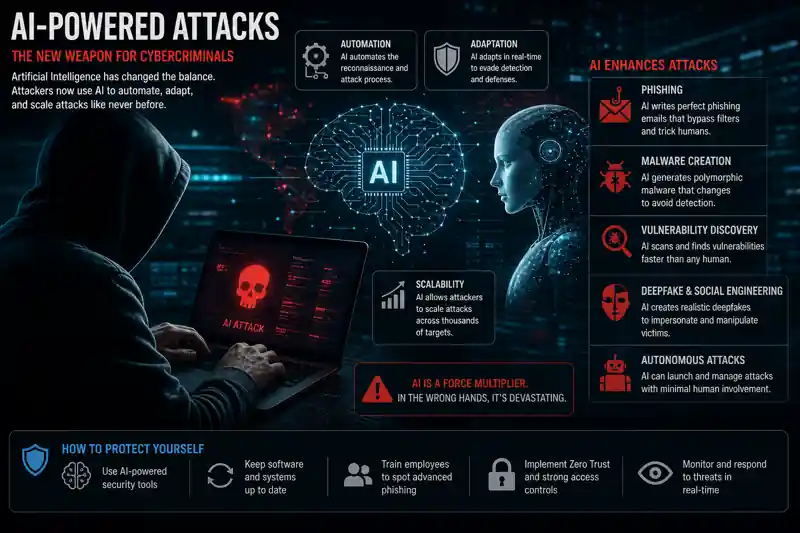
AI has handed attackers capabilities that previously required nation-state resources:
Hyper-personalized phishing — AI tools scrape your LinkedIn profile, social media posts, and publicly available data to generate phishing emails that reference your actual employer, recent travel, or specific colleagues. These messages are grammatically perfect and contextually convincing in ways that mass-generated phishing never was.
Deepfake voice and video scams — attackers can now clone a person’s voice from just a few seconds of audio. Real-world cases include calls impersonating a family member in a fake emergency, or a CFO’s voice being cloned to authorize fraudulent wire transfers.
Automated vulnerability scanning — adversaries are now leveraging AI to reduce the time between a published vulnerability and a live exploit to mere hours. Where human attackers once needed days to weaponize a newly disclosed flaw, AI-powered bots do it in hours.
Your defense: The fundamentals still work — strong passwords, 2FA, and healthy skepticism about urgent or unexpected messages. Add one new habit: if you receive an urgent call from someone you know requesting money or sensitive information, hang up and call them back on a number you already have. Deepfakes can’t intercept your outbound call.
10. Supply chain attacks
Supply chain attacks target the software, tools, and vendors that organizations and individuals trust. Instead of attacking you directly, the attacker compromises a legitimate piece of software before it reaches you — so you unknowingly install malware that came bundled with a trusted application.
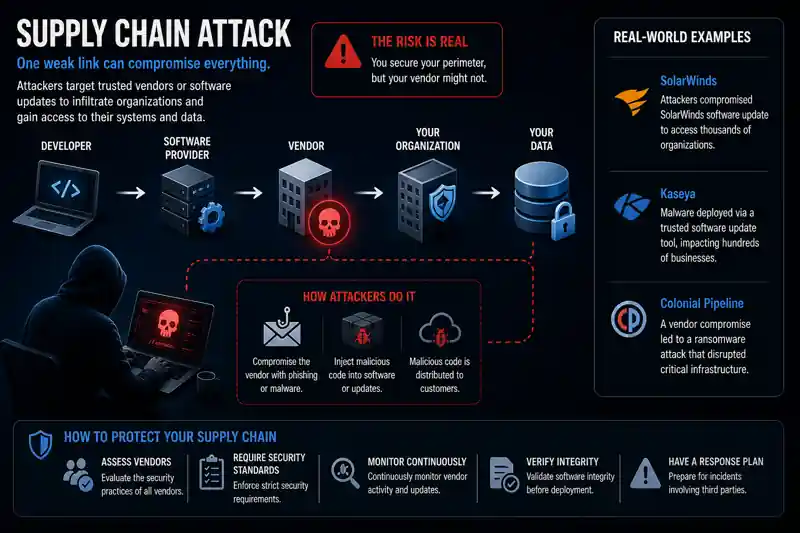
The SolarWinds attack, where malicious code was inserted into a software update used by thousands of organizations including US government agencies, is the defining example. But supply chain attacks happen at every scale — from major enterprise software to browser extensions and free download sites.
For individuals, the most relevant supply chain risks are:
- Malicious browser extensions that impersonate legitimate tools with thousands of fake reviews
- Typosquatted packages in developer ecosystems (npm, PyPI) that mimic popular libraries
- Compromised free download sites that bundle malware with legitimate software installers
Your defense: Only install software from official sources — the developer’s official website, the Mac App Store, or Google Play. Review browser extension permissions carefully before installing. Keep automatic updates enabled so you receive security patches quickly when a vendor discovers and fixes a compromise.
Quick Reference: Threat vs. Defense Table
| Threat | How It Gets You | Your First Defense |
|---|---|---|
| Phishing | Fake email or link | Verify sender; never click unsolicited links |
| Malware | Malicious download or attachment | Download only from official sources |
| Ransomware | Encrypts your files | Maintain regular offline backups |
| Social Engineering | Psychological manipulation | Verify independently; treat urgency as a red flag |
| Password Attacks | Stolen or guessed credentials | Unique passwords + password manager + 2FA |
| MitM Attacks | Intercepts public Wi-Fi traffic | Use VPN on public networks |
| IoT Vulnerabilities | Default or weak device passwords | Change defaults; use a guest network |
| Insider Threats | Trusted access abused or misused | Lock devices; audit app permissions |
| AI-Powered Attacks | Deepfakes and personalized scams | Call back on a known number to verify |
| Supply Chain Attacks | Compromised legitimate software | Official sources only; enable auto-updates |
Frequently asked questions about cyber threats
What is the most common cyberattack in 2026?
Phishing remains the most common cyberattack by volume, accounting for the starting point of the vast majority of successful breaches. It’s effective not because it’s technically complex, but because it exploits human psychology — and humans are the hardest vulnerability to patch.
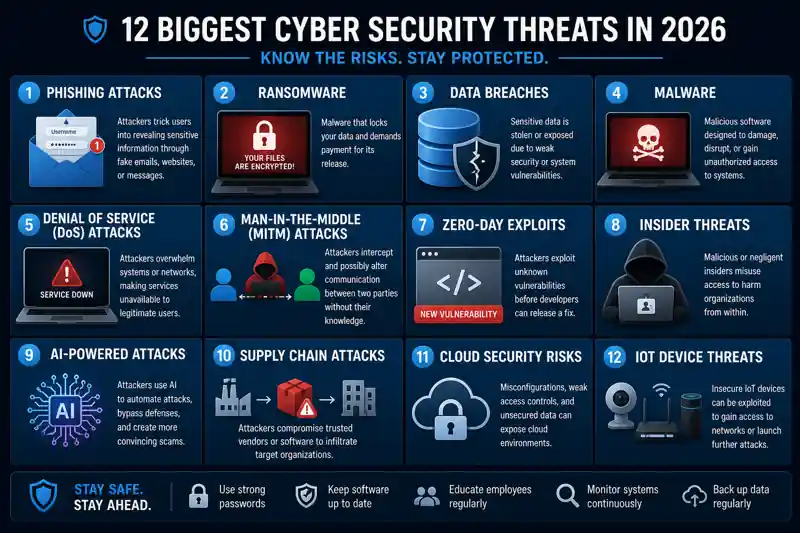
Which Cyber Threats Are Growing the Fastest?
AI-powered attacks are the fastest-growing threat category in 2026. This includes AI-generated phishing emails, deepfake voice and video scams, and automated vulnerability exploitation. 87% of organizations rank AI-related vulnerabilities as the fastest-growing cyber risk.
Can Individuals Be Targeted by Ransomware?
Absolutely. While large organizations make headlines, ransomware operators also run mass campaigns that target individuals. Home users with unpatched systems and no backups are frequently hit. Regular backups to an external drive or offline cloud storage are the most effective individual defense.
What Is the Difference Between Malware and a Virus?
A virus is one specific type of malware — one that attaches itself to legitimate files and spreads when those files are shared. Malware is the broader category that includes viruses, ransomware, trojans, spyware, worms, and adware. All viruses are malware, but not all malware is a virus.
How Do I Know If My Device Has Been Compromised?
Warning signs include: sudden slowdowns or crashes, programs opening or closing on their own, unexpected data usage spikes, new browser extensions or toolbars you didn’t install, antivirus alerts, or accounts you didn’t authorize showing login activity. If you notice these signs, run a full antivirus scan, change your passwords from a different device, and enable 2FA on all important accounts.
Are Small Businesses and Individuals Real Targets?
Yes. Many attackers specifically prefer individuals and small businesses precisely because they’re less defended than large enterprises. Automated attack tools don’t discriminate by target size — they scan the internet for vulnerable systems and exploit whatever they find.
Key Takeaways
Cyber threats evolve continuously, but the defenses against them are more stable than most people realize. The same habits protect against the majority of attacks:
- Awareness first — knowing that these threats exist and how they work is your most powerful defense layer
- Unique passwords + 2FA — eliminates the risk from password attacks and most account takeovers
- Skepticism about urgency — the single most effective filter against phishing and social engineering
- Backups — your insurance policy against ransomware
- Updates — closes the doors that malware and exploits use to get in
No single tool makes you completely safe. But combining awareness with these five habits puts you ahead of the vast majority of potential targets — and most attackers will simply move on.
Last updated: May 2026 | Part of the Cybersecurity for Beginners content cluster
Continue building your defenses:
- Cybersecurity for Beginners: The Complete Guide — Your full foundation
- What Is Phishing? How to Recognize and Avoid It — Deep dive on the #1 threat
- How to Create Strong Passwords and Set Up 2FA — Lock down your accounts
- Home Network Security for Beginners — Secure your router and IoT devices
- Online Privacy and VPN Guide for Beginners — Stop being tracked online