

Understanding how to prevent spyware is the difference between spending your digital life reactively — cleaning up infections, recovering from credential theft, dealing with the consequences of unauthorized surveillance — and operating from a position of genuine security where the probability of a successful spyware infection is low enough to be a manageable risk rather than a constant threat. This complete protection guide builds the defense-in-depth framework that keeps spyware off your devices in the first place, covering every layer from software configuration through behavioral practices to the network-level controls that stop threats before they reach your device.
Why prevention is categorically better than removal
The removal-focused mindset that dominates most people’s security thinking creates a dangerous implicit assumption: that you will know when you have been infected and can then deal with the infection. Spyware specifically violates this assumption. The most capable spyware variants operate for months without producing any detectable symptoms, meaning that by the time removal becomes the agenda, the damage — credential theft, data exfiltration, financial fraud, privacy violation — has already occurred. Prevention does not just avoid the technical inconvenience of removal; it prevents the underlying harm that spyware exists to cause.
The economics of prevention
Security economics are straightforward: the cost of prevention is paid in time, software subscriptions, and behavior change. The cost of remediation after a serious spyware infection includes those same costs plus the remediation time itself, the cost of credit monitoring and identity theft recovery if financial credentials were stolen, the cost of any fraudulent transactions that cleared before the compromise was detected, and the non-quantifiable costs of privacy violation, particularly in stalkerware scenarios. Prevention is almost always the better investment by a substantial margin.
Layer 1 — Software update discipline as a security practice
Software vulnerabilities are the primary technical mechanism through which drive-by spyware infections succeed. Every unpatched vulnerability in your operating system, browser, or installed applications represents a potential attack vector that a well-resourced attacker can exploit to install spyware without any action or awareness on your part. The patch cycle — the interval between a vulnerability’s discovery and your device’s installation of the fix — is the window during which you are exposed.
Operating system updates
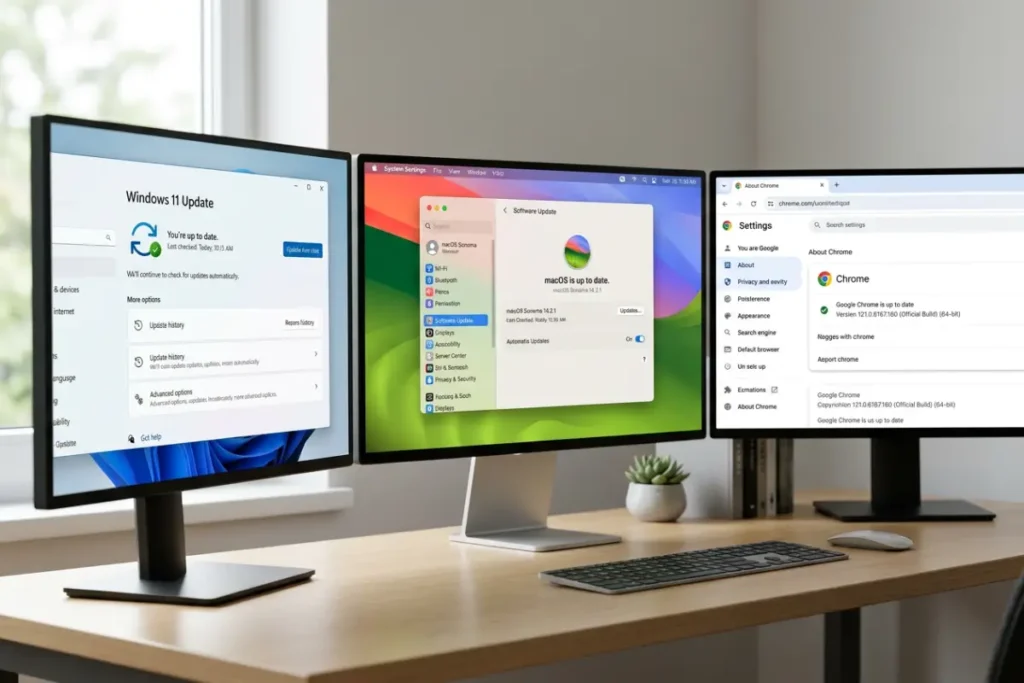
Enable automatic operating system updates and do not delay or defer them except in genuine emergency circumstances. Windows Update and macOS Software Update both support automatic download and installation of security patches, and the rare case of a “bad patch” that causes compatibility problems is a significantly smaller risk than the sustained exposure created by leaving a known vulnerability unpatched. On Windows, verify that Windows Update is active and showing a recent check date through Settings, then Windows Update. On macOS, verify through System Settings, then General, then Software Update.
Browser updates
Modern browsers — Chrome, Firefox, Edge, Safari — all update automatically by default, but verify this is functioning correctly by checking for pending updates in the browser’s help or about menu. Browsers are the primary interface through which drive-by download attacks deliver their payloads, making them the most critical application to keep current. A single unpatched browser vulnerability can be sufficient for a complete system compromise without any user-initiated download, simply through visiting a compromised website.
Plugin and extension updates
Java, Adobe Reader, and other browser plugins that execute code in the browser environment have been the source of enormous numbers of drive-by download vulnerabilities historically. The most security-conscious approach is to remove plugins you do not actively use, particularly the Flash plugin which is now defunct and has no security update support. For plugins you retain, ensure automatic updates are enabled. Browser extensions update through the browser’s extension management system and should be set to update automatically.
Layer 2 — Application download hygiene
The behavioral practices that govern where you download software from, and what you do during the installation process, are the most impactful user-controlled prevention measures available. Drive-by downloads account for some infections, but a substantial proportion of spyware reaches devices because the user was deceived into installing it through social engineering.
The official source requirement
Establish a rule for yourself: software is only downloaded from the official developer’s website or from a platform-operated storefront (Microsoft Store, Mac App Store, Google Play, Apple App Store). This rule eliminates exposure to the modified installers and bundled spyware that populate third-party download aggregators. When you need a specific application, navigate directly to the developer’s official website rather than searching for a download link, since search results for popular software are frequently manipulated to surface malicious lookalike download sites at high rankings.
Reading installer screens as a security practice
“Next, next, next, finish” is how most people install software, and it is how most bundled spyware successfully installs itself. Software bundlers rely on user inattention — the tendency to accept default options and complete installation as quickly as possible — to install their payloads with nominal user consent. Each installer screen during a software installation represents either a legitimate configuration choice or a potential bundling disclosure that requires active evaluation. Choose “Custom” or “Advanced” installation options whenever they are offered, read every screen before clicking next, and uncheck any additional software offers that appear regardless of how the offer is framed.
Evaluating software before installation
Before installing any new application, particularly from a developer you are unfamiliar with, invest two minutes in researching the developer’s reputation. Search for the application name combined with terms like “privacy,” “data collection,” and “review” to surface any documented concerns. Check the privacy policy if a link is provided during installation, looking specifically for data collection disclosures. Run the installer through VirusTotal before executing it — upload the downloaded file to virustotal.com and the service will run it against seventy-plus detection engines, providing a consensus view on whether the file is safe. A clean VirusTotal result does not guarantee safety, but a result flagging the file by multiple engines is a strong contraindication.
Layer 3 — Browser security configuration
The browser is where the majority of threat encounters occur — through malicious websites, deceptive ads, drive-by downloads, and social engineering pages. A correctly configured browser substantially reduces the attack surface it presents.
The right browser settings for spyware prevention
Enable or verify the following browser security settings as a baseline configuration. In Chrome and Edge, ensure Safe Browsing (Chrome) or Microsoft Defender SmartScreen (Edge) is enabled at its most protective setting — these features use Google’s and Microsoft’s threat intelligence to block known-malicious URLs before they load. In Firefox, enable Enhanced Tracking Protection at the “Strict” level, which blocks not only tracking cookies but also fingerprinting scripts and cryptominer code that are sometimes bundled with spyware delivery infrastructure.
Disable JavaScript execution on a site-by-site allowlist model if you are willing to accept the usability trade-off — many drive-by download exploits rely on JavaScript to trigger their payloads, and blocking JavaScript globally eliminates this entire vector, though at the cost of breaking most interactive web applications. Browser extensions like NoScript implement this model in a user-manageable way.
Managing browser extension security
Extensions are the Trojan horse of the browser security world. A malicious browser extension, once installed and granted broad permissions, can function as a persistent keylogger and form-grabber within the browser without requiring any system-level access. Apply the following management practices: install extensions only from the browser’s official extension store and from developers with established reputations and active community presence. Review the permissions each extension requests before installing — an extension that requests “Read and change all your data on all websites” for a function that does not require page-level access should be declined. Audit your installed extensions at least quarterly and remove any you no longer actively use, since dormant extensions still represent an attack surface if their developers sell or abandon them and they are subsequently updated with malicious code.
Layer 4 — Email security and phishing resistance
Phishing emails and malicious email attachments remain among the most reliable spyware delivery vectors because they exploit human psychology rather than technical vulnerabilities. Effective phishing emails are increasingly difficult to distinguish from legitimate communications — they replicate the visual design of trusted brands with high fidelity, they create urgency or curiosity that bypasses critical thinking, and they target recipients with personalized details obtained from social media or previous breaches that make them more convincing.
Building phishing resistance as a skill
Phishing resistance is a learnable skill that improves with practice and specific pattern recognition. Key patterns to internalize: legitimate organizations do not request sensitive information — passwords, financial credentials, social security numbers — through email links; every email link can be inspected before clicking by hovering over it (desktop) or long-pressing it (mobile) to reveal the actual destination URL; any urgency or threat in an email asking you to take immediate action is a manipulation technique that should increase suspicion rather than compliance; requests for credentials from services you use should always be satisfied by navigating directly to the service’s known URL in a new browser tab rather than clicking the email link.
Configure your email client to display full sender addresses rather than just display names, as many phishing emails use a legitimate-sounding display name while the actual sending address belongs to an unrelated domain. Enable your email provider’s phishing filter if one is available — Gmail and Outlook both include sophisticated phishing detection that correctly identifies and labels the majority of phishing attempts.
Layer 5 — Network-level protection
Network-level protection operates below the application layer, intercepting and blocking threats before they reach your browser or operating system. This layer includes your router configuration, DNS security, and VPN usage.
Securing your home router
Your home router is the gateway through which all your devices communicate with the internet. A poorly secured router can be compromised and used to redirect your DNS queries to attacker-controlled resolvers — a position that enables man-in-the-middle attacks against your entire household’s internet traffic regardless of the security posture of individual devices. Secure your router by changing its default administrator credentials immediately after setup, enabling automatic firmware updates, using WPA3 encryption for your wireless network, and disabling features you do not use — particularly UPnP (Universal Plug and Play) and remote management interfaces, which are common targets for router exploitation.
DNS-level threat blocking
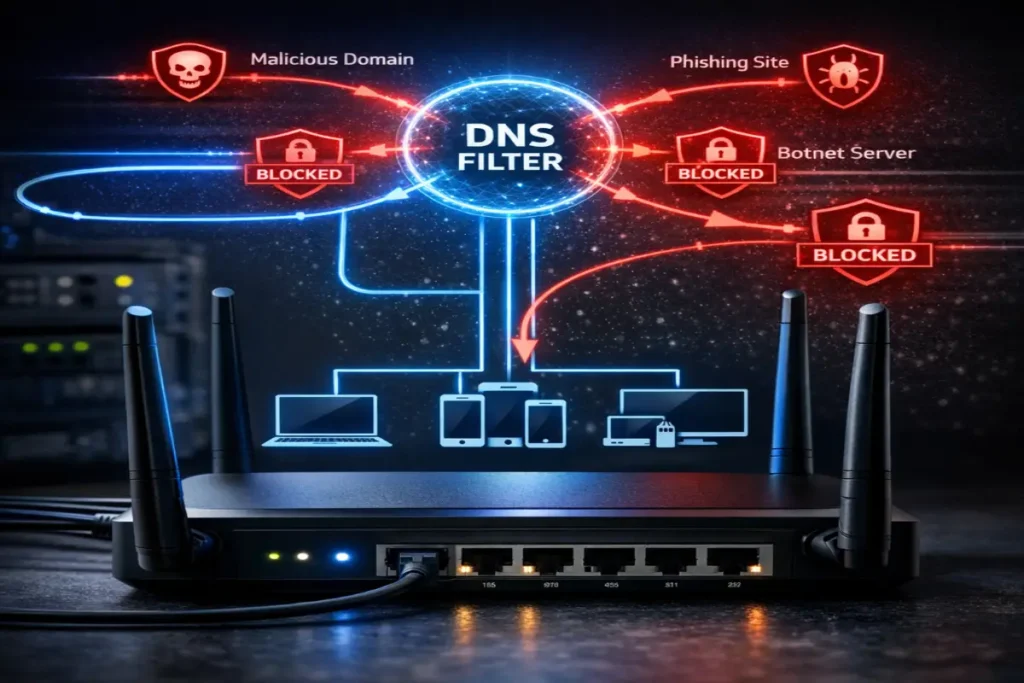
Configuring your devices to use a DNS resolver with built-in threat blocking adds a prevention layer that operates for every device on your network, catching connections to malicious domains before any data is exchanged. Cloudflare’s 1.1.1.1 for Families and Quad9’s 9.9.9.9 both block connections to domains associated with malware command-and-control infrastructure at the DNS level, preventing spyware that has been installed through another vector from communicating with its operators — an important containment mechanism even after infection has occurred.
VPN for network-level privacy protection
A VPN contributes to spyware prevention in two specific and meaningful ways. First, it encrypts your network traffic from your device to the VPN server, preventing any network-level interceptor — a compromised router, a malicious Wi-Fi hotspot, an ISP performing deep packet inspection — from injecting malicious content into your traffic or intercepting sensitive data in transit. Second, commercial VPN services increasingly include threat intelligence features that block connections to domains and IP addresses associated with malware delivery and command-and-control infrastructure, providing a network-level blocker that complements your device-level antivirus.
For users who frequently use public Wi-Fi networks — coffee shops, airports, hotels, university networks — a VPN is a particularly important prevention tool, since these networks present elevated risks of network-level attacks including the evil twin attacks and man-in-the-middle interceptions that can be used to deliver malicious content into unencrypted traffic.
Layer 6 — Identity and credential security
Spyware’s most common objective is credential theft. Building a credential management practice that limits the damage that stolen passwords can cause is a critical prevention layer, even if it does not prevent spyware installation itself.
Password managers and unique credentials
Credential reuse — using the same password across multiple accounts — transforms a single credential theft event into a potentially unlimited cascade of account compromises. A password manager enables the only practical alternative: unique, randomly generated passwords for every account, remembered by the password manager rather than by you. This means that spyware stealing your credentials from one service cannot use those credentials to access any other service.
Use a reputable password manager with end-to-end encryption — 1Password, Bitwarden, or Dashlane are consistently well-regarded options — and store credentials for every account you maintain. Enable breach monitoring if your chosen password manager includes it, to receive alerts when your email addresses appear in newly discovered credential breaches.
Two-factor authentication everywhere it is offered
Two-factor authentication (2FA) is the most impactful single security measure most users can implement. Even if spyware steals your username and password, 2FA prevents those stolen credentials from being usable for account access without the second factor — typically a time-limited code from an authenticator application — that the attacker cannot replicate without physical possession of your authentication device. Enable 2FA on every account that supports it, prioritizing email accounts, financial accounts, and any account with payment methods attached, in that order.
Prefer authenticator applications (Google Authenticator, Authy, 1Password’s built-in authenticator) over SMS-based 2FA, which is vulnerable to SIM-swapping attacks where an attacker convinces your mobile carrier to transfer your phone number to a SIM they control. Authenticator apps generate codes locally and are not vulnerable to this attack vector.
Layer 7 — Security awareness as an ongoing practice
The technical controls in layers 1 through 6 are necessary but not sufficient. The social engineering techniques that spyware operators use to deliver their payloads — phishing emails, fake download sites, deceptive social media content, malicious search advertisements — exploit human psychology rather than technical vulnerabilities, and technology cannot fully defend against these attacks without human awareness and skepticism.
Staying current with emerging threats
The threat landscape evolves continuously, and practices that adequately protected against common attacks two years ago may be insufficient against current techniques. Following trusted cybersecurity news sources — Krebs on Security, Bleeping Computer, the SANS Internet Storm Center, CISA alerts — keeps you informed of emerging attack techniques and specific threats targeting consumer users. When a new phishing campaign or social engineering technique is actively circulating, knowing about it before you encounter it is a meaningful protection advantage.
Security audits as a scheduled practice
Build a quarterly security audit into your schedule. This audit should include: reviewing installed applications on all devices and removing unused software; checking browser extensions and revoking unnecessary permissions; verifying that all security software is active, updated, and correctly configured; reviewing account 2FA settings and ensuring backup codes are stored securely; checking breach notification services for any email addresses associated with your accounts; and reviewing the permission settings of mobile applications.
The time investment in a quarterly audit is modest — typically thirty to sixty minutes — and it catches the gradual permission creep, outdated software accumulation, and configuration drift that opens gaps in an otherwise sound security posture. Combined with the active threat removal capability covered in the detection and manual analysis methodology for identifying hidden spyware → How to detect spyware on your PC before it’s too late, this preventive framework gives you the best achievable defense-in-depth posture against the full range of spyware threats in 2026.
Combining all seven layers into a coherent security posture
No individual layer provides complete protection. A fully patched system can still be compromised through social engineering. Excellent phishing resistance cannot prevent a drive-by download through a browser vulnerability. A VPN provides no defense against spyware installed through a malicious application. The power of the seven-layer framework is that each layer compensates for the limitations of the others — an attack that bypasses one layer encounters another, and the probability of successfully bypassing all seven simultaneously is low enough to characterize as a managed risk rather than a certainty.
Implementing all seven layers does not require technical expertise beyond what a determined non-specialist can acquire through this guide and its companions. It requires consistency, habit formation, and occasional review — the security maintenance practices that separate users who are rarely compromised from those who are repeatedly victimized by the same categories of preventable threat.