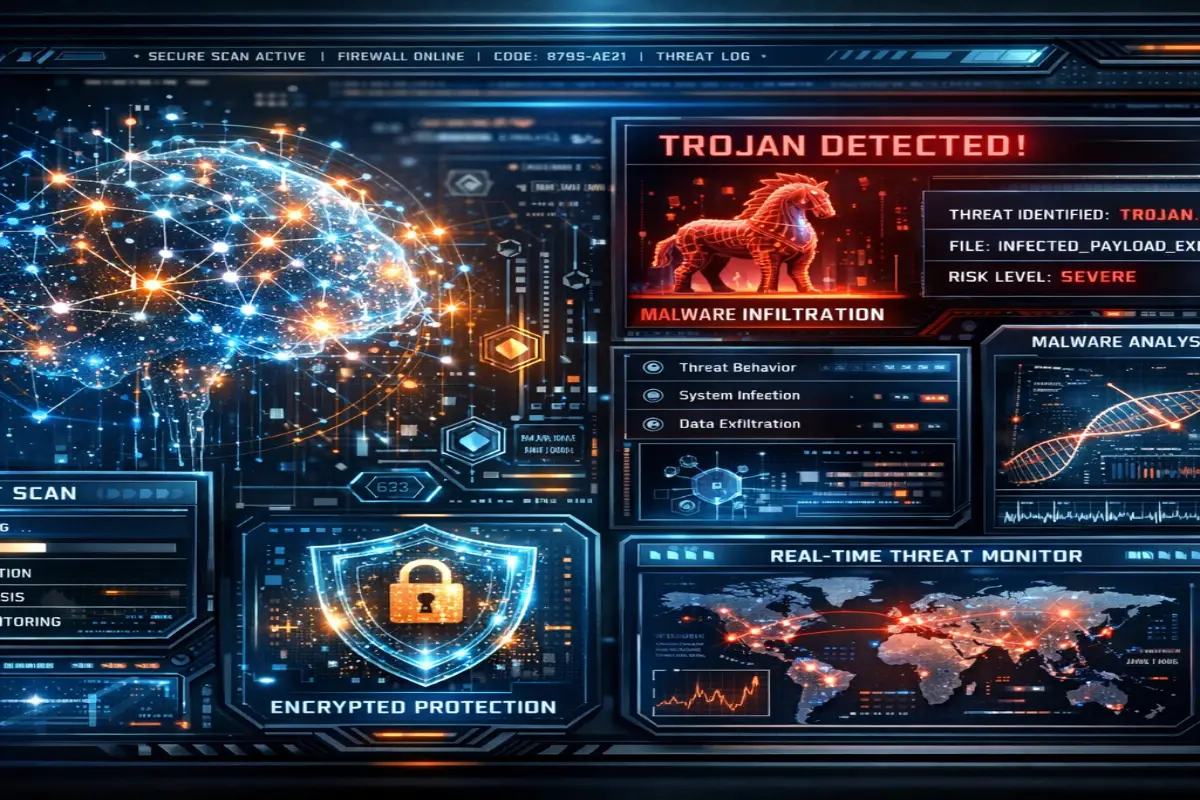

Learn how to remove a Trojan virus from Windows 11 safely using advanced malware cleanup methods antivirus tools browser protection and cybersecurity best practices for complete system recovery
How Trojan viruses infect Windows 11 computers
remove Trojan virus Windows 11 has become one of the most searched cybersecurity topics because modern malware attacks continue growing every year Windows 11 includes stronger protection than older Microsoft operating systems but cybercriminals still use phishing fake software downloads cracked applications malicious browser extensions and infected email attachments to compromise computers
Most Trojan infections happen because users unknowingly install dangerous files disguised as safe programs Attackers design these files to appear legitimate so victims trust them before installation Once activated Trojan malware silently creates hidden connections with remote servers allowing cybercriminals to steal passwords banking credentials browser cookies personal files and sensitive information
Modern Trojan malware rarely works alone Many infections install additional malicious software including spyware ransomware cryptocurrency miners and browser hijackers This makes early detection extremely important because delays allow attackers to expand access inside the system
Cybersecurity researchers warn that artificial intelligence now helps attackers create more convincing phishing campaigns fake websites and malware distribution systems This means Windows 11 users must combine strong antivirus protection safe browsing habits and regular software updates to stay protected
Common signs your Windows 11 PC has a Trojan virus
Many Trojan infections remain hidden during early stages because malware developers want long term access instead of immediate detection However several warning signs may indicate compromise
Slow system performance
A sudden decrease in computer performance is often one of the first indicators of malware infection Trojan programs consume system resources in the background causing lag and instability
Common symptoms include
Slow startup times
Programs freezing
Overheating hardware
High CPU usage
Increased fan activity
Reduced gaming performance
Browser hijacking
Browser related symptoms are extremely common with Trojan infections Malware often manipulates browsers to generate advertising revenue collect personal data or redirect users toward phishing websites
Signs include
Homepage changes
Unknown browser extensions
Random popups
Redirected searches
Fake update notifications
Advertisement spam
Antivirus disabled automatically
Advanced Trojan malware attempts to disable cybersecurity software to avoid removal
Users may notice
Windows Defender disabled
Firewall settings modified
Security updates blocked
Antivirus warnings disappearing
Unable to access cybersecurity websites
Suspicious network activity
Trojan malware communicates continuously with remote command servers Attackers use these connections to monitor victims and exfiltrate stolen information
Indicators include
Unexpected internet usage
High upload traffic
Router activity while computer is idle
Firewall alerts
Unknown applications using internet access
Step by step process to remove Trojan virus Windows 11 safely
Successfully removing Trojan malware requires a structured cleanup process Many users delete visible files while hidden components remain active inside the system
Disconnect from the internet immediately
The first action should be isolating the infected device Disconnect
Wi Fi
Ethernet cables
Bluetooth devices
External drives
This limits communication between the Trojan and remote attackers
Boot Windows 11 into Safe Mode
Safe Mode prevents many malware processes from launching automatically making removal easier
To enter Safe Mode on Windows 11
Open Settings
Navigate to Recovery
Select Advanced Startup
Choose Troubleshoot
Open Startup Settings
Enable Safe Mode with Networking
Safe Mode loads only essential Windows components reducing malware interference
Run a full antivirus scan
Using trusted antivirus software is one of the most effective ways to remove Trojan virus Windows 11 infections
Recommended antivirus solutions include
Bitdefender
Norton 360
Malwarebytes
ESET
Kaspersky
Sophos
A complete scan should inspect
System files
Registry entries
Startup programs
Temporary folders
Browser extensions
Scheduled tasks
Trojan virus removal →Trojan virus removal Ultimate guide to detect remove and prevent infections in 2026
Delete suspicious applications
Users should review installed applications carefully Suspicious programs often include fake optimization tools cracked software unknown utilities or recently installed applications without verified publishers
Potentially dangerous programs should be removed immediately
Reset web browsers
Trojan malware frequently manipulates browsers to maintain persistence Resetting browsers removes
Malicious extensions
Tracking scripts
Hijacked search engines
Unauthorized notifications
Redirect settings
Popular browsers including Chrome Edge and Firefox provide built in reset options
Advanced Windows 11 malware cleanup techniques
Some Trojan infections survive standard antivirus scans Advanced removal methods may be necessary for persistent malware
Inspect startup programs
Malware often creates startup entries to relaunch automatically after reboots
Users can inspect startup behavior using
Task Manager
Autoruns
System Configuration tools
Suspicious startup entries commonly use random names or temporary file locations
Analyze scheduled tasks
Many Trojans create hidden scheduled tasks that reinstall malware silently
Users should inspect Windows Task Scheduler for
Unknown tasks
Random names
PowerShell commands
Hidden scripts
Frequent execution intervals
Remove temporary files
Temporary directories frequently contain malware remnants Cleaning these locations improves antivirus effectiveness
Delete
Temp folders
Browser cache
Downloads folder
Recycle Bin contents
Disk Cleanup utilities simplify this process
Check browser extensions carefully
Browser extensions are now major malware delivery mechanisms
Dangerous extensions may
Steal passwords
Monitor browsing activity
Inject advertisements
Redirect searches
Track online behavior
Install extensions only from trusted developers
Best antivirus software to remove Trojan virus Windows 11
Choosing the right antivirus solution significantly improves malware detection and prevention
Bitdefender
Bitdefender consistently ranks among the best cybersecurity solutions for Trojan detection
Features include
Real time malware scanning
Behavioral threat analysis
Anti phishing protection
Ransomware defense
VPN integration
Norton 360
Norton offers comprehensive security for Windows 11 users
Features include
Dark web monitoring
Cloud backup
Firewall controls
Password manager
Identity theft protection
Malwarebytes
Malwarebytes specializes in advanced malware removal and behavioral detection
It performs especially well against
Spyware
Browser hijackers
Adware
Potentially unwanted programs
ESET
ESET provides strong malware detection with low system impact making it popular among gamers and professional users
How Trojan malware steals passwords on Windows 11
Password theft remains one of the biggest risks associated with Trojan infections
Cybercriminals target
Email accounts
Banking logins
Social media profiles
Cloud storage
Cryptocurrency wallets
Keylogging attacks
Keyloggers record keyboard input allowing attackers to capture usernames and passwords silently
Browser cookie theft
Modern malware steals browser session cookies enabling account hijacking even without passwords
Clipboard monitoring
Some Trojans monitor clipboard activity to intercept copied passwords and cryptocurrency addresses
How to prevent Trojan infections on Windows 11
Prevention is always easier than malware recovery
Avoid pirated software
Cracked applications remain one of the largest Trojan distribution channels worldwide
Download software only from official websites
Avoid third party download portals and suspicious advertisements
Keep Windows 11 updated
Operating system updates patch vulnerabilities exploited by malware
Enable Microsoft Defender protections
Recommended features include
Real time protection
Cloud protection
Tamper protection
SmartScreen filtering
Use strong passwords and MFA
Multi factor authentication reduces account takeover risks even if credentials are stolen
What to do after removing Trojan malware
After malware cleanup users should secure all sensitive accounts
Change passwords immediately
Update passwords for
Email accounts
Banking platforms
Cloud storage
Social media
Cryptocurrency exchanges
Monitor financial activity
Check bank statements and online payment accounts for suspicious activity
Backup important files
Maintain secure offline and cloud backups to reduce future cybersecurity risks
Enable long term cybersecurity protection
Users should combine
Antivirus software
VPN services
Password managers
Secure browsing habits
Regular updates
to maintain strong digital protection
BlogPosting
Why Trojan malware protection matters in 2026
best antivirus for Trojan protection has become one of the most important cybersecurity searches because Trojan malware continues evolving rapidly Cybercriminals now use advanced attack methods powered by artificial intelligence phishing automation malicious browser extensions and fake software downloads to compromise millions of devices every year
Unlike older viruses modern Trojans operate silently They focus on stealing sensitive information instead of immediately destroying systems Attackers use Trojan malware to capture passwords banking credentials browser cookies cryptocurrency wallets private documents and business data
Many Trojan infections also install additional malicious software including ransomware spyware keyloggers and browser hijackers This makes strong antivirus protection essential for both personal users and businesses
Modern cybersecurity software no longer focuses only on virus scanning The best security suites now include
Real time malware detection
Behavioral analysis
Ransomware protection
VPN encryption
Firewall security
Anti phishing systems
Identity monitoring
Secure browsing tools
Users who rely only on basic operating system protection may remain vulnerable against sophisticated malware campaigns
How antivirus software detects Trojan malware
Modern antivirus programs use multiple security technologies to identify and block Trojan infections before damage occurs
Signature based detection
Traditional antivirus engines compare files against massive malware databases containing known threats
When a file matches a known Trojan signature the antivirus blocks execution immediately
Although signature detection remains useful attackers constantly create new malware variants to bypass traditional databases
Behavioral analysis
Behavioral monitoring is now one of the most important cybersecurity technologies
Instead of relying only on known malware signatures antivirus software analyzes suspicious activity such as
Unauthorized registry changes
Hidden background processes
Suspicious file encryption
Password stealing behavior
Browser hijacking activity
Network communication anomalies
Behavioral analysis helps detect zero day threats and previously unknown Trojan variants
Cloud based threat intelligence
Modern cybersecurity platforms use cloud systems to identify new malware rapidly
When suspicious activity appears on one device security vendors analyze the threat globally and distribute protections across millions of users within minutes
This dramatically improves response speed against emerging attacks
AI powered malware detection
Artificial intelligence now plays a major role in cybersecurity defense
Advanced antivirus systems use machine learning to
Analyze malware patterns
Detect phishing behavior
Identify suspicious scripts
Block dangerous websites
Recognize ransomware activity
AI improves detection rates against sophisticated Trojan malware campaigns
Bitdefender total security
Bitdefender consistently ranks among the strongest cybersecurity solutions for Trojan malware defense
The platform combines advanced malware detection with lightweight performance making it ideal for both beginners and advanced users
Key security features
Bitdefender includes
Real time malware protection
Behavioral threat detection
Ransomware remediation
Anti phishing protection
Web attack prevention
VPN integration
Firewall security
Microphone and webcam protection
Its multi layer ransomware defense system is especially effective against modern malware attacks
Malware detection performance
Independent cybersecurity testing organizations regularly rank Bitdefender among the best antivirus engines for malware detection
The software performs exceptionally well against
Trojans
Spyware
Ransomware
Rootkits
Credential stealers
Malicious scripts
System performance impact
One major advantage of Bitdefender is low resource consumption
Many antivirus programs slow systems during scans but Bitdefender maintains strong performance for gaming streaming and productivity tasks
Best for
Bitdefender is ideal for
Home users
Remote workers
Gamers
Families
Small businesses
Norton 360
Norton remains one of the most recognized cybersecurity brands worldwide
Its comprehensive security ecosystem combines malware defense with privacy and identity protection
Key features
Norton 360 includes
Real time threat protection
Dark web monitoring
Password manager
VPN service
Cloud backup
Firewall controls
Parental controls
The inclusion of identity monitoring makes Norton especially attractive for users concerned about financial fraud and account compromise
Trojan malware protection
Norton uses advanced behavioral monitoring and machine learning to detect sophisticated malware threats
It performs strongly against
Banking Trojans
Phishing attacks
Credential stealing malware
Ransomware infections
VPN integration
Norton includes a secure VPN that encrypts internet traffic reducing exposure on public Wi Fi networks
VPN protection also helps block tracking systems and malicious websites
Best for
Norton works well for
Families
Identity protection users
Remote workers
Users wanting all in one security
Malwarebytes premium
Malwarebytes became popular because of its powerful malware cleanup capabilities
Many cybersecurity professionals use Malwarebytes alongside traditional antivirus software for layered protection
Specialized malware detection
Malwarebytes performs especially well against
Potentially unwanted programs
Adware
Browser hijackers
Spyware
Trojans
Its behavioral detection engine focuses heavily on suspicious activity instead of only signature databases
Lightweight design
Malwarebytes is known for maintaining strong performance without excessive system slowdown
This makes it attractive for older computers and productivity focused users
Browser protection
The software includes anti phishing and malicious website blocking technologies that reduce exposure to dangerous downloads and scam pages
Best for
Malwarebytes is ideal for
Malware cleanup
Secondary security layers
Users wanting lightweight protection
Anti spyware defense
Trojan virus removal Ultimate guide to detect remove and prevent infections in 2026]
ESET smart security premium
ESET is highly respected among cybersecurity professionals because of its lightweight architecture and advanced detection systems
Strong heuristic analysis
ESET uses sophisticated heuristic detection to identify suspicious behavior before malware signatures become widely available
This improves protection against newly emerging Trojan threats
Minimal performance impact
ESET is extremely lightweight making it popular among gamers developers and advanced users
The software consumes fewer system resources than many competitors
Advanced tools
Features include
Network attack protection
UEFI scanner
Secure banking browser
Password manager
Encryption tools
Best for
ESET works best for
Power users
Gamers
Business professionals
Advanced cybersecurity users
Kaspersky premium security
Kaspersky remains one of the strongest technical antivirus engines available despite ongoing geopolitical controversies in some regions
Excellent malware detection
Kaspersky consistently scores highly in independent malware testing
It provides strong protection against
Banking Trojans
Spyware
Credential stealers
Rootkits
Ransomware
Safe browsing tools
Kaspersky includes anti phishing systems and dangerous website blocking to reduce exposure to malware delivery pages
Privacy protections
Additional features include
VPN services
Password management
Webcam security
Data leak detection
Best for
Kaspersky is suitable for
Advanced malware defense
Financial security
Privacy focused users
Windows Defender vs premium antivirus software
Many Windows 11 users ask whether Microsoft Defender alone provides enough protection against Trojan malware
Advantages of Microsoft Defender
Windows Defender offers
Built in protection
Automatic updates
Real time scanning
SmartScreen filtering
Firewall integration
For basic users practicing safe browsing habits Defender provides reasonable protection
Limitations of Defender
Premium antivirus suites often outperform Defender in areas such as
Behavioral analysis
Ransomware protection
VPN integration
Identity monitoring
Advanced phishing detection
Users facing higher cybersecurity risks may benefit from stronger security ecosystems
Features to look for in the best antivirus for Trojan protection
Choosing cybersecurity software should involve more than malware detection scores
Real time protection
Real time scanning continuously monitors files downloads and processes to stop malware before infection occurs
Behavioral analysis
Behavioral detection identifies suspicious activity patterns even if malware signatures are unknown
Anti phishing systems
Phishing attacks remain one of the largest Trojan distribution methods Strong anti phishing technology is essential
VPN security
Integrated VPN services improve online privacy and protect traffic on unsecured networks
Firewall protection
Advanced firewalls help monitor suspicious network activity and block unauthorized connections
Ransomware defense
Many Trojan infections now deliver ransomware Strong ransomware protection is critical
Free antivirus vs paid antivirus
Free antivirus software can provide basic protection but often lacks advanced security layers
Advantages of paid antivirus software
Paid solutions typically include
Better malware detection
Advanced ransomware protection
VPN services
Identity monitoring
Technical support
Firewall management
Risks of free antivirus tools
Some free antivirus applications collect excessive user data display advertisements or provide limited malware protection
Users should avoid unknown security software because fake antivirus scams remain common
How to improve Trojan malware protection beyond antivirus
Even the best antivirus software cannot guarantee complete security without safe digital habits
Avoid pirated software
Cracked applications remain one of the biggest Trojan infection sources worldwide
Keep software updated
Operating system and application updates patch vulnerabilities exploited by attackers
Use strong passwords
Unique passwords combined with password managers improve account security significantly
Enable multi factor authentication
MFA reduces account takeover risks even if passwords are compromised
Use secure VPN services
VPN encryption improves privacy and reduces exposure on public networks
Which antivirus is best overall for Trojan protection
Different users require different cybersecurity priorities
Best overall
Bitdefender delivers one of the best balances between malware detection performance usability and system efficiency
Best for identity protection
Norton 360 provides strong identity monitoring and dark web protection features
Best lightweight security
ESET offers excellent malware defense with minimal performance impact
Best malware cleanup tool
Malwarebytes excels at removing stubborn malware infections and browser hijackers
Best for advanced malware detection
Kaspersky continues performing strongly in independent malware testing