
Trojan virus symptoms every PC user should know before it is too late
Discover the most dangerous Trojan virus symptoms affecting Windows PCs Learn how to detect malware infections early protect passwords and remove hidden cyber threats safely
Why recognizing Trojan virus symptoms matters
Trojan virus symptoms often appear slowly which makes modern malware extremely dangerous Unlike older viruses that immediately damage systems Trojan malware is designed to remain hidden for long periods while collecting valuable information Cybercriminals use Trojans to steal passwords banking credentials browser cookies cryptocurrency wallets and personal files without the victim noticing
Many users ignore early warning signs because they assume the computer is simply slow or outdated This mistake allows attackers to expand access install additional malware and compromise sensitive accounts
Cybersecurity experts warn that early detection is one of the most important defenses against malware attacks Recognizing suspicious system behavior quickly can prevent identity theft financial fraud ransomware infections and long term privacy damage
Modern Trojan malware campaigns are now more sophisticated than ever Attackers use phishing emails fake software updates malicious browser extensions cracked applications and infected downloads to spread malware across millions of devices worldwide
Understanding Trojan virus symptoms helps users react before attackers gain full control of the system
Slow computer performance
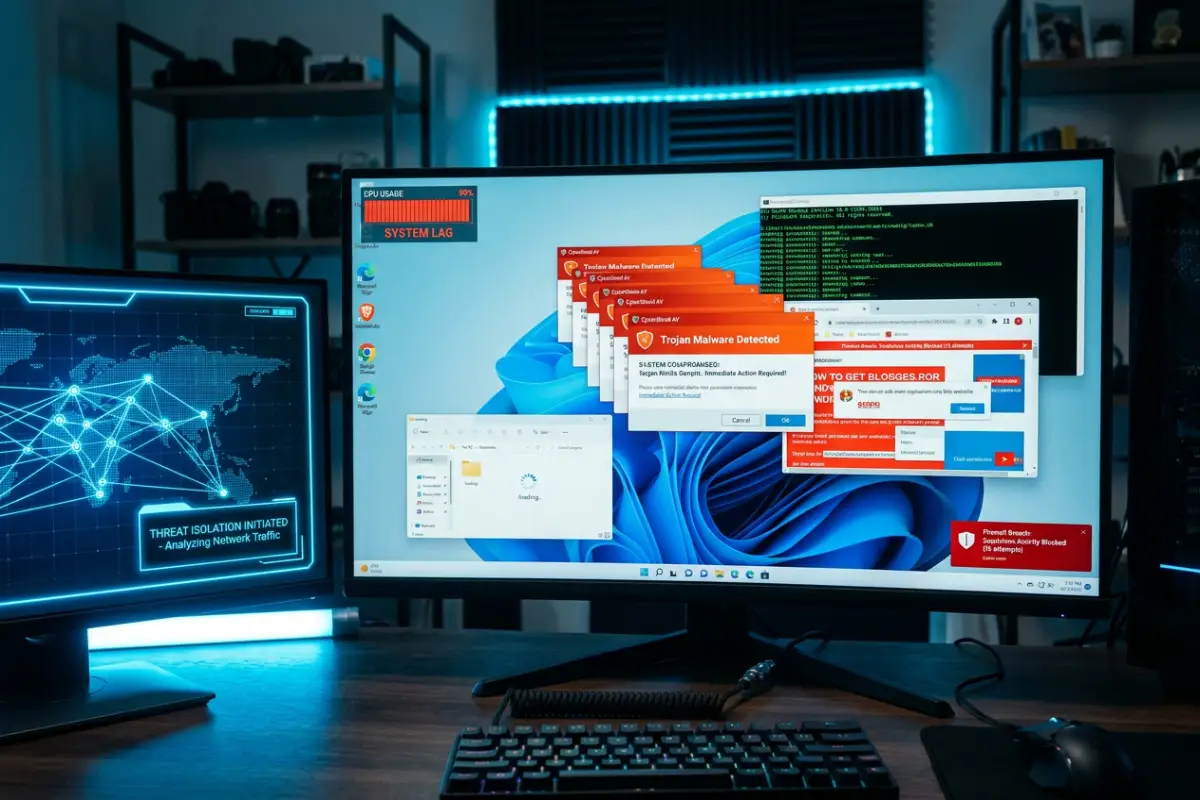
One of the earliest and most common Trojan virus symptoms is a noticeable reduction in system performance Malware frequently runs hidden background processes that consume hardware resources continuously
Common performance related symptoms include
Slow startup times
Programs freezing
Lag during multitasking
High CPU usage
Overheating hardware
Excessive fan noise
Reduced gaming performance
Trojans often use system resources to perform malicious tasks such as cryptocurrency mining password theft or remote communication with attacker servers
Why malware slows computers
Trojan malware may execute multiple hidden operations simultaneously including
Data exfiltration
Background downloads
Spyware monitoring
Keylogging
Ransomware preparation
Network communication
These hidden processes increase memory and processor usage significantly
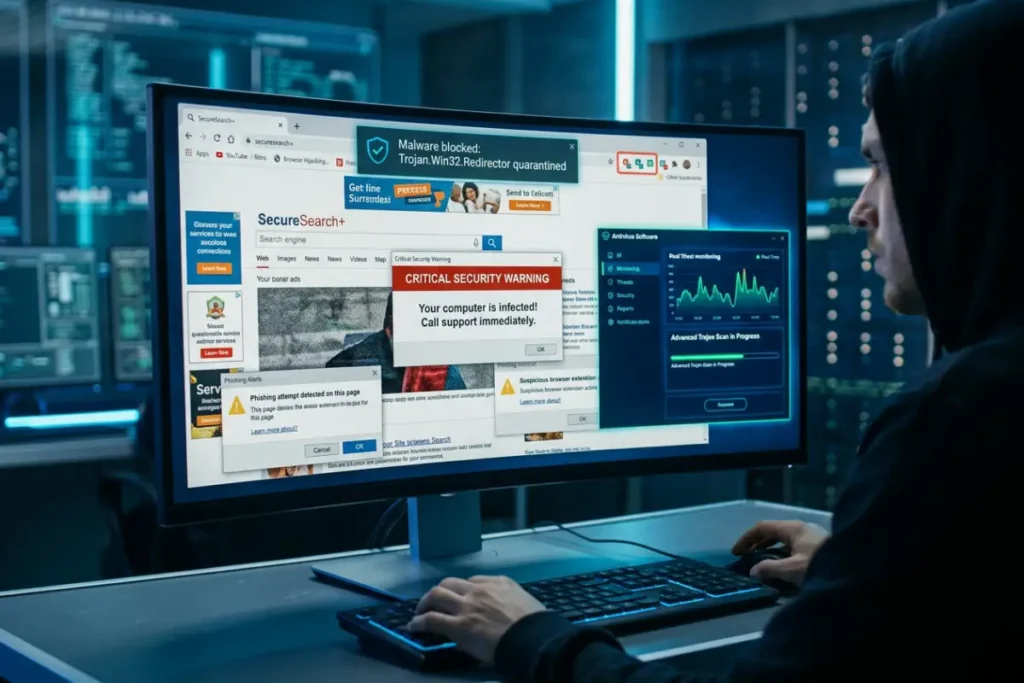
Suspicious browser behavior
Browser related problems are among the strongest indicators of Trojan infections Cybercriminals frequently target browsers because they contain passwords payment information and browsing history
Browser hijacking symptoms
Users may notice
Homepage changes
Search engine modifications
Unknown extensions
Redirected searches
Advertisement spam
Fake update notifications
Random popups
Browser hijackers often redirect users toward phishing websites designed to steal additional credentials
Dangerous browser extensions
Malicious extensions are increasingly common infection sources Some fake extensions claim to provide
Video downloading
VPN services
Ad blocking
Productivity tools
Coupon systems
Instead they monitor browsing behavior inject advertisements or steal login sessions
Antivirus software disabled automatically
Advanced Trojan malware often targets cybersecurity defenses directly Attackers want to disable protection systems before expanding control inside the device
Warning signs involving security software
Users may notice
Windows Defender disabled
Firewall settings changed
Security alerts disappearing
Antivirus crashes
Unable to update antivirus databases
Blocked access to cybersecurity websites
Tamper protection bypass attempts are common in advanced malware campaigns
Why attackers disable antivirus tools
Cybercriminals disable security software to
Avoid malware detection
Install additional threats
Maintain persistence
Monitor user activity undetected
Prevent malware removal
Users should investigate immediately if security settings change unexpectedly
High internet and network activity
Trojan malware frequently communicates with remote command and control servers operated by attackers
Signs of suspicious network activity
Indicators include
Unexpected internet usage
Router activity while PC is idle
High upload traffic
Unknown applications using internet access
Firewall alerts
Slow internet speeds
Some Trojans continuously upload stolen information including passwords browser cookies screenshots and documents
Hidden remote access connections
Remote access Trojans allow attackers to control infected devices from anywhere in the world
Attackers may
Browse files
Activate webcams
Monitor screens
Record keystrokes
Install ransomware
Steal sensitive data
Unusual system behavior
Strange computer activity may indicate hidden malware infections
Common abnormal behaviors
Applications opening automatically
Mouse moving unexpectedly
Random shutdowns
System crashes
Files disappearing
Settings changing without permission
Although occasional glitches happen naturally repeated suspicious behavior should never be ignored
Unauthorized software installation
Many Trojans silently install additional malicious software after infection
Secondary malware may include
Spyware
Adware
Cryptocurrency miners
Ransomware
Password stealers
Multiple malware families often work together during modern cyberattacks
Fake security warnings and popups
Fake antivirus alerts remain one of the most common Trojan related scams
Attackers use alarming messages to pressure victims into downloading dangerous software or paying fraudulent fees
Common fake warning messages
System infected
Critical virus detected
Banking compromise found
Windows security alert
Immediate action required
These messages often imitate Microsoft or antivirus branding to appear legitimate
Risks of fake antivirus software
Fraudulent security tools may
Steal payment information
Install spyware
Collect passwords
Disable real antivirus software
Users should only download cybersecurity software from official vendor websites
Password theft symptoms
Many Trojan infections focus specifically on credential theft
Signs passwords may be compromised
Unexpected account logins
Password reset emails
Locked accounts
Unauthorized purchases
Banking alerts
New devices connected to accounts
Cybercriminals sell stolen credentials on dark web marketplaces for financial profit
Browser cookie theft
Modern malware increasingly steals browser session cookies instead of passwords
Cookie theft allows attackers to bypass login credentials and hijack
active sessions directly Trojan virus removal Ultimate guide to detect remove and prevent infections in 2026
Webcam and microphone activity
Some advanced Trojans spy on victims using webcams and microphones
Warning signs
Webcam light activating unexpectedly
Microphone access notifications
Unknown recording files
Privacy setting modifications
Remote access Trojans are especially dangerous because they provide long term surveillance capabilities
Cryptocurrency theft indicators
Cryptocurrency users are major malware targets because digital transactions are difficult to reverse
Common crypto theft symptoms
Clipboard cryptocurrency addresses changing automatically
Unauthorized wallet access
Exchange login alerts
Missing funds
Clipboard hijacking malware replaces copied wallet addresses with attacker controlled addresses during transactions
Ransomware related symptoms
Many Trojan infections eventually deploy ransomware
Early ransomware indicators
Files becoming inaccessible
Unknown encryption processes
Security tools disabled
Suspicious background activity
Attackers may first steal data before encrypting files to increase extortion pressure
Mobile device synchronization issues
Some Trojan malware spreads across connected devices through synchronized accounts cloud services or shared credentials
Potential warning signs
Unknown logins on multiple devices
Cloud storage abnormalities
Unauthorized synchronization
Compromised email sessions
Users should secure all linked accounts after discovering malware
What to do if you notice Trojan virus symptoms
Immediate action reduces damage significantly
Disconnect from the internet
Disconnect
Wi Fi
Ethernet
Bluetooth devices
External drives
This limits communication between malware and attacker infrastructure
Run a full antivirus scan
Recommended security tools include
Bitdefender
Norton
Malwarebytes
ESET
Kaspersky
Deep scans should inspect
System files
Registry entries
Startup programs
Browser extensions
Temporary folders
Change passwords immediately
Users should update passwords for
Email accounts
Banking platforms
Cloud storage
Social media
Cryptocurrency wallets
Password changes should occur from a clean device
Enable multi factor authentication
MFA reduces account takeover risks even if attackers steal passwords
How to prevent Trojan malware infections
Strong cybersecurity habits remain essential for malware prevention
Avoid pirated software
Cracked applications remain one of the largest Trojan distribution channels
Download software from official sources only
Avoid suspicious websites fake download portals and unknown advertisements
Keep systems updated
Operating system and browser updates patch vulnerabilities exploited by attackers
Use reputable antivirus software
Layered cybersecurity protection significantly improves malware defense
Learn phishing awareness
Phishing remains one of the biggest infection methods Understanding suspicious emails links and attachments reduces risk dramatically