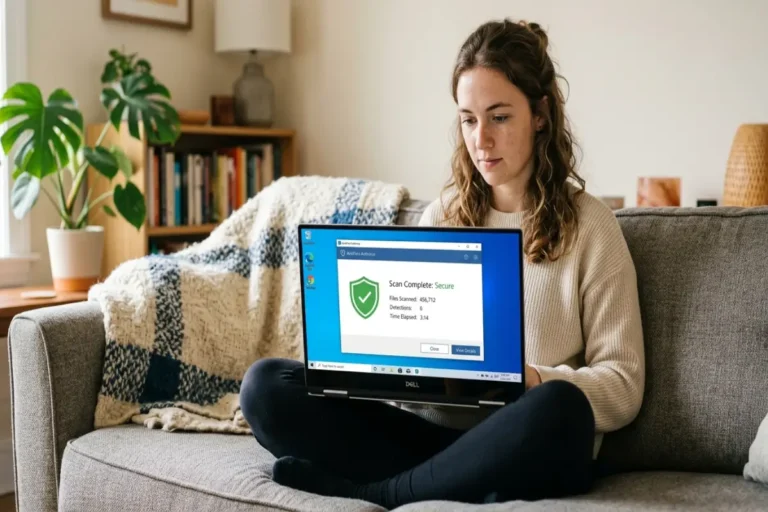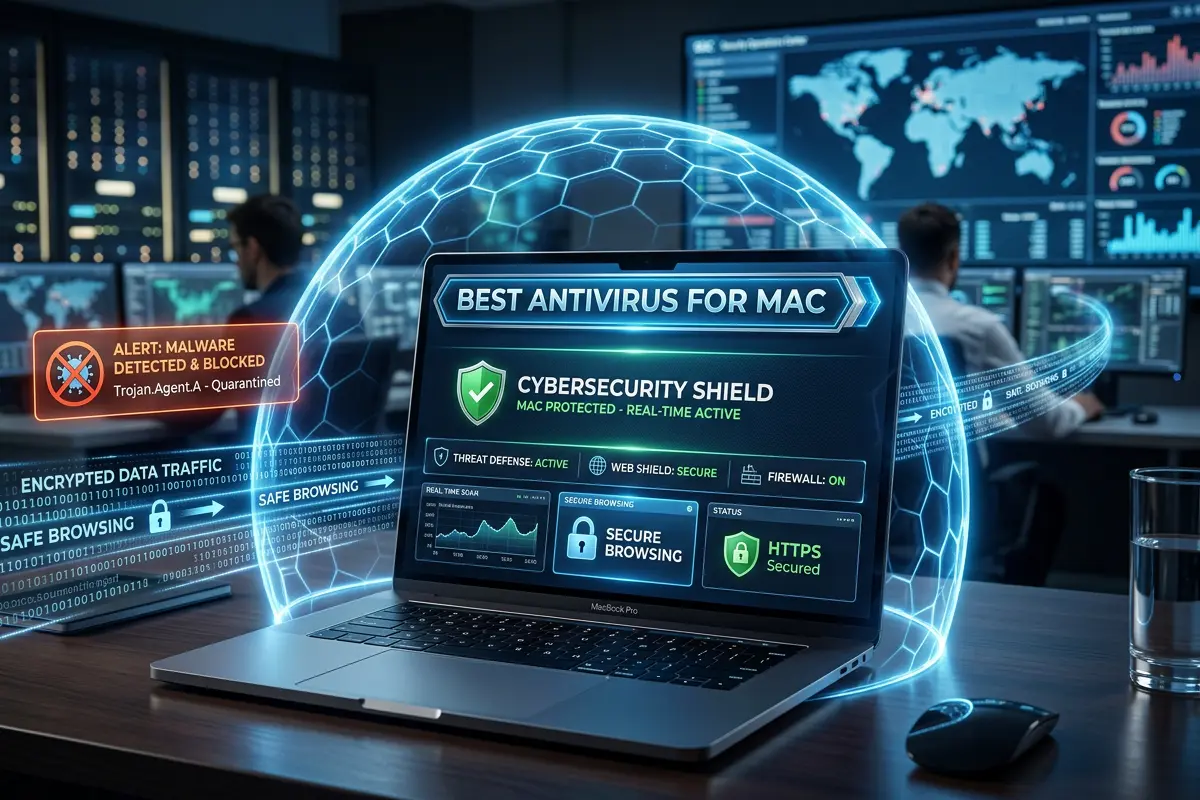

Why Mac users still need antivirus protection
Best antivirus for Mac is no longer only for people who download suspicious files or visit risky websites. In 2026, Mac security is about protecting your device, browser, passwords, cloud accounts, payment details, private files, and online identity from threats that are becoming more realistic and harder to notice.
Many Mac users still believe the old idea that “Macs do not get viruses.” That belief is outdated. Apple devices are known for strong built-in security, and macOS includes important protections such as Gatekeeper, notarization, XProtect, app permissions, FileVault, and system-level security controls. Apple explains that macOS malware defenses use several layers, including preventing malware from launching, blocking malware from running, and helping remediate malware that has executed.
That built-in protection matters. It gives Mac users a strong security foundation before they install anything else. But built-in protection does not mean complete protection against every modern risk. Cybercriminals do not only rely on classic viruses. They use fake websites, phishing emails, malicious browser extensions, fake software updates, unsafe downloads, compromised ads, infected documents, and social engineering.
This is why the best antivirus for Mac should not be judged only by whether it can scan files. A good Mac antivirus should help protect against malware, phishing, ransomware behavior, unsafe websites, suspicious downloads, privacy threats, and identity risks. It should also be easy to use, lightweight, and compatible with the way macOS users work every day.
For many people, the biggest threat is not a dramatic virus attack. It is a fake login page that steals an Apple ID, Gmail password, banking login, PayPal account, business dashboard, or cloud storage access. The FTC describes phishing as a scam where attackers pretend to be trusted companies or contacts to trick people into giving personal information. This makes browser protection and anti-phishing tools very important for Mac users.
A modern antivirus can also protect people who work online. Students, freelancers, creators, remote workers, developers, marketers, business owners, and families often use their Mac for sensitive activities. They shop online, manage accounts, download files, join public Wi-Fi, install productivity tools, and store valuable documents. The more important the device is to your daily life, the more useful extra protection becomes.
The best antivirus for Mac gives you more than a scan button. It gives you a safer browsing layer, better warning signals, cleaner device monitoring, protection against suspicious behavior, and extra peace of mind when you are working online.
What makes the best antivirus for Mac different?
The best antivirus for Mac is not simply a Windows antivirus copied into a Mac app. Mac users expect software that is clean, fast, quiet, and simple. A security app that slows the system, drains battery, or sends confusing alerts will quickly become annoying, even if it has strong detection.
A strong Mac antivirus should feel like it belongs on macOS. It should have a simple dashboard, clear protection status, fast scans, helpful warnings, and low system impact. It should protect without getting in the way.
Real-time malware protection
Real-time protection is one of the most important features to look for. It checks files, downloads, apps, and system activity as they happen. This is different from manual scanning, where you only check the Mac after you think something may be wrong.
Real-time protection is useful when downloading apps outside the App Store, opening email attachments, using file-sharing platforms, installing browser extensions, transferring files from USB drives, or receiving documents from clients and classmates.
CISA explains that antivirus software looks for patterns connected to known malware, usually through signatures or definitions. Modern antivirus tools also use behavior analysis, cloud reputation checks, web protection, and suspicious activity monitoring to catch more than classic malware files.
For Mac users, real-time protection is especially valuable because many threats try to appear normal. A fake installer may look like a useful app. A browser extension may look like a productivity tool. A pop-up may look like a system warning. A good antivirus helps reduce the risk of trusting the wrong file or website.
Web and phishing protection
A large part of modern cyber risk happens inside the browser. You may not download malware at all. You may simply click a link that sends you to a fake login page.
This is why web protection is essential. The best antivirus for Mac should warn you before you open suspicious websites, enter passwords on risky pages, or interact with known scam domains. Anti-phishing protection helps users avoid fake pages that imitate banks, email providers, cloud storage services, Apple ID pages, online shops, delivery services, or crypto platforms.
This matters because phishing attacks are designed to look normal. The page may have a real-looking logo, professional design, and urgent message. The goal is to make you act quickly without checking details. Good antivirus software can add a warning layer before the mistake happens.
Ransomware and file protection
Ransomware is more common in business and Windows environments, but Mac users should not ignore file protection. A good Mac antivirus should watch for suspicious behavior, especially attempts to encrypt, lock, or rapidly modify personal files.
This matters for users who keep important work on their Mac. Designers, photographers, students, writers, agencies, developers, and business owners may store documents, projects, invoices, client files, source code, and creative assets. Losing access to those files can be stressful and expensive.
Ransomware protection is not only about fear. It is about protecting productivity. Even if the chance of infection is not daily, the impact can be serious.
Privacy and identity protection tools
Many antivirus plans now include privacy tools. These can include VPN access, tracker blocking, dark web monitoring, password managers, webcam protection, email breach alerts, and identity monitoring.
Not every user needs every extra feature. But for many Mac users, these tools add real value. A VPN can help protect browsing on public Wi-Fi. A password manager can reduce password reuse. Breach alerts can warn you when an email address appears in a known data leak. Tracker blocking can reduce some forms of online tracking.
For affiliate buyers, this is where the decision becomes personal. The best antivirus for one person may not be the best for another. A student may need affordable basic protection. A freelancer may need phishing protection and VPN. A family may need multi-device coverage. A business owner may need identity alerts, secure browsing, and ransomware monitoring.
Built-in Mac security vs third-party antivirus
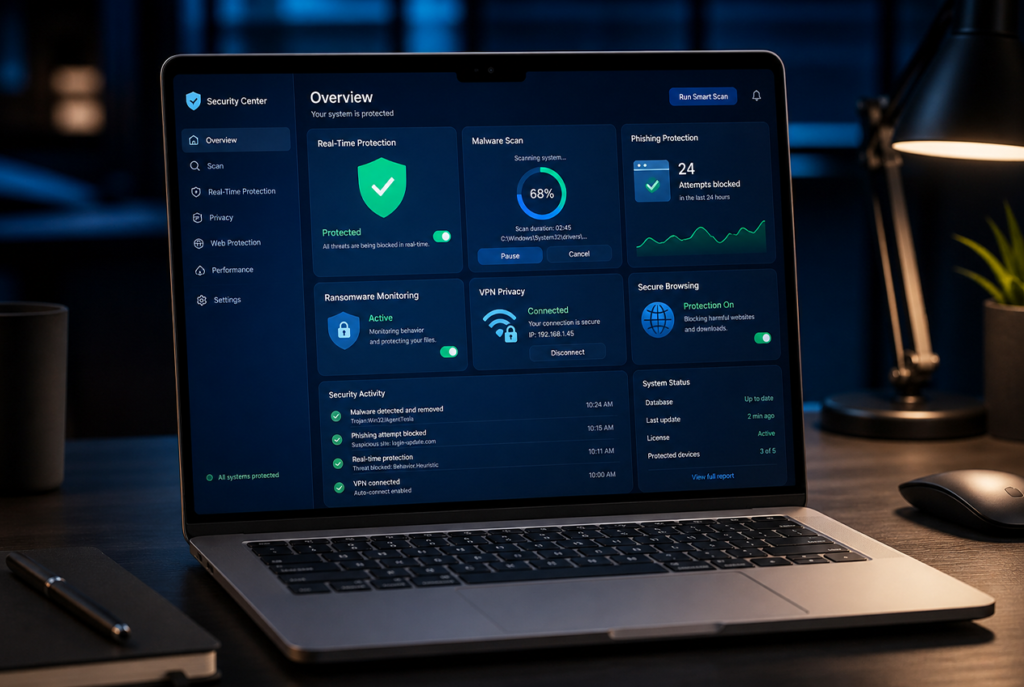
macOS already includes strong built-in security. This is one of the reasons many people choose Mac. Apple uses several layers to help protect users from unsafe software, including Gatekeeper, notarization, XProtect, and other protections designed to stop or limit malicious behavior. Apple also says Gatekeeper and runtime protection help ensure that only trusted software runs on a Mac.
This means every modern Mac starts with a good security base. But built-in protection and third-party antivirus are not the same thing. They solve overlapping problems, but they do not always solve them in the same way.
What macOS already does well
macOS is strong at controlling app permissions, warning users about unknown developers, limiting access to sensitive parts of the system, encrypting data with FileVault, and blocking many known malicious files.
FileVault is especially useful because it encrypts the Mac drive. Apple states that FileVault 2 encrypts the entire drive on a Mac, helping protect data if the device falls into the wrong hands. This is important for students, travelers, business owners, and remote workers who carry a MacBook outside the home.
macOS also pushes regular security updates. These updates matter because security is not something you set once and forget. New vulnerabilities, malware families, and attack methods appear over time. Keeping macOS updated is one of the simplest and most important steps a Mac user can take.
Where antivirus adds more protection
A third-party antivirus can add extra layers that are easier for everyday users to see and manage. This can include stronger web protection, anti-phishing warnings, malware scans, ransomware behavior monitoring, VPN, password manager, identity alerts, and multi-device protection.
For example, Apple’s built-in security may help block known malware, but a paid antivirus suite may also warn you about scam websites, unsafe browser behavior, suspicious downloads, dark web exposure, or risky Wi-Fi connections. That broader protection is useful for people who spend a lot of time online.
Another reason to consider antivirus is cross-platform protection. Many people do not only use a Mac. They may also use an iPhone, Android phone, Windows laptop, tablet, or family devices. A multi-device antivirus plan can protect several devices under one subscription. This can be more practical than managing separate tools.
The balanced answer
The honest answer is not that every Mac user must buy antivirus immediately. The better answer is that Mac users should understand their risk level.
If you only use trusted apps, avoid suspicious links, keep macOS updated, use strong unique passwords, and do not handle sensitive work, built-in protection may be enough for basic use.
But if you download files often, work online, manage business accounts, shop online, use public Wi-Fi, install browser extensions, or store important files, a dedicated antivirus can be a smart extra layer. The best antivirus for Mac is not a replacement for safe habits. It is an additional defense that helps reduce risk.
Best antivirus for Mac: key features to compare
Before choosing a Mac antivirus, avoid buying only because of brand popularity or discount price. The right choice depends on what you need to protect, how you use your Mac, and how many devices you want to cover.
Malware detection
Malware detection is the core function. A good antivirus should detect known malware, suspicious files, adware, spyware-like behavior, and potentially unwanted apps.
Independent testing can help users compare products more objectively. AV-TEST evaluates Mac antivirus products based on protection, performance, and usability. In its macOS Sequoia home-user testing, AV-TEST focused on malware detection, false positives, and performance. AV-Comparatives also publishes Mac security tests that evaluate the effectiveness and usability of security products for macOS.
These tests are useful because they look beyond marketing claims. When choosing antivirus software, look for products that perform consistently well across independent testing, not just products with flashy ads.
Low system impact
Mac users usually care about speed. The best antivirus for Mac should protect the system without making the device feel heavy. It should not slow startup, interrupt work, drain battery quickly, or create constant pop-ups.
This is especially important for MacBook Air users, students, writers, developers, designers, and remote workers. A lightweight antivirus is easier to keep installed because it does not fight against the user experience.
Anti-phishing protection
Anti-phishing protection is one of the most valuable features for everyday users. A phishing page can steal passwords even if the Mac itself is not infected. That means a user can lose access to important accounts without ever installing malware.
Good anti-phishing protection should work in the browser and warn users before they submit login details or payment information on suspicious pages. This is important for people who use online banking, cloud storage, email, PayPal, Stripe, Shopify, ad accounts, affiliate dashboards, or business tools.
Ransomware monitoring
Ransomware monitoring watches for suspicious file behavior. This includes attempts to encrypt, rename, lock, or rapidly modify many files. Even if ransomware is not the most common Mac threat for average users, this feature is valuable for people who keep important work locally.
A good antivirus should help protect key folders such as Documents, Desktop, Downloads, Photos, and external drives.
VPN protection
Some antivirus plans include a VPN. This can be useful if you often use public Wi-Fi in cafés, airports, hotels, schools, coworking spaces, or shared apartments.
A VPN does not replace antivirus. It protects a different part of your online activity. Antivirus focuses on malicious files, risky websites, and suspicious behavior. VPN focuses more on encrypting your internet connection and improving privacy on networks you do not fully trust.
If you travel or work remotely, antivirus with VPN included may offer better value. If you only use secure home Wi-Fi, you may not need the most expensive VPN bundle.
Password manager
A password manager helps you create and store strong unique passwords. This matters because password reuse is one of the biggest account security problems. If one website is breached and you use the same password elsewhere, attackers may try that password on other accounts.
A password manager inside an antivirus suite can be useful, but it should be easy to use. If the password manager feels complicated, users may ignore it.
Multi-device coverage
Many antivirus subscriptions protect more than one device. This can be valuable for families, couples, students with multiple devices, or business owners.
If you have a MacBook, iPhone, Windows desktop, Android phone, and tablet, a multi-device plan may be better value than a Mac-only plan. Always check how many devices are included before buying.
Who should buy antivirus for Mac?
The best antivirus for Mac depends on the type of user. A good decision starts with understanding your own risk.
Students
Students often use campus Wi-Fi, download PDFs, receive files from classmates, use cloud storage, and install study apps. They may not need the most expensive security suite, but they can benefit from affordable antivirus with real-time protection, web protection, and basic malware scanning.
For students, the best choice is usually lightweight, simple, and affordable. Extra features like VPN can be useful if they often use shared Wi-Fi.
Remote workers and freelancers
Remote workers and freelancers usually have more to protect. They may manage client documents, invoices, business emails, project files, payment accounts, and collaboration tools.
For this group, antivirus with anti-phishing, ransomware monitoring, VPN, password manager, and breach alerts can be worth the cost. A compromised account or lost file can affect income and client trust.
Creators and online business owners
Creators and business owners often download files, install tools, test plugins, manage social accounts, use ad platforms, access payment dashboards, and store business data. This makes web protection and account security very important.
For this group, the best antivirus for Mac should include strong phishing protection, safe browsing, ransomware defense, and privacy features. Multi-device coverage is also useful because business owners often work across several devices.
Families
Families need simple protection across multiple devices. A parent may use a Mac, a child may use a school laptop, and other family members may use phones or tablets. A family antivirus plan can make protection easier to manage.
The best option for families should include simple dashboards, multi-device coverage, parental controls if needed, safe browsing, and reliable customer support.
Beginners
Beginners need clear warnings and simple actions. A complicated antivirus can create confusion. The best antivirus for beginner Mac users should explain problems in plain language and offer simple buttons like scan, fix, ignore, or learn more.
For beginners, usability is not a small feature. It is one of the main reasons to choose one product over another.
Free vs paid antivirus for Mac
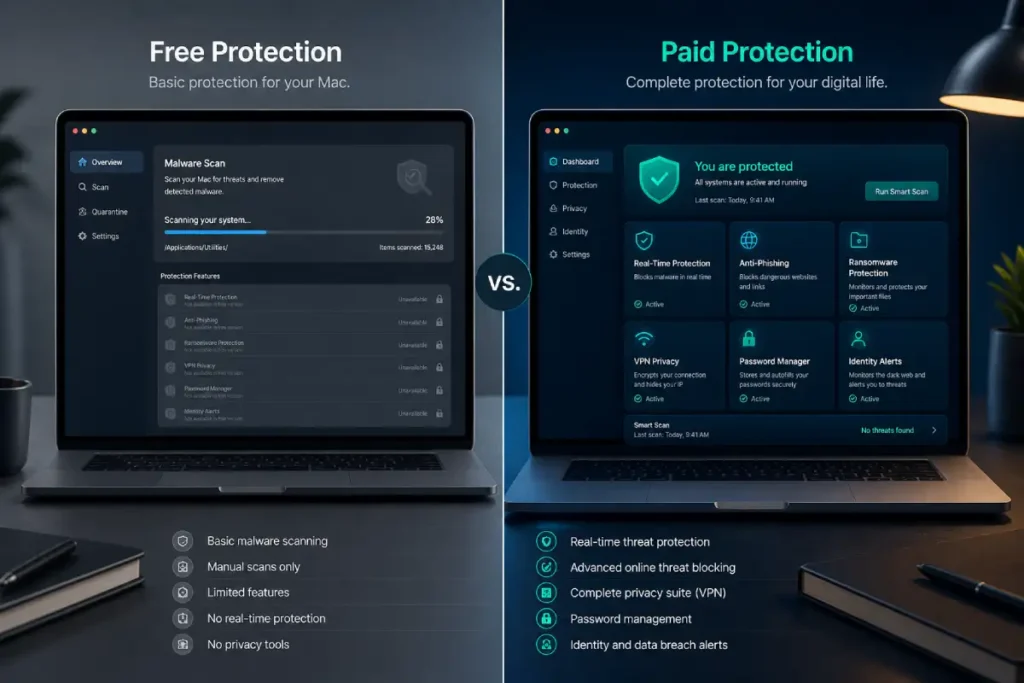
Free antivirus for Mac can be useful, but it usually has limits. A free plan may offer basic scanning, simple malware detection, or limited web protection. This can be enough for low-risk users who want an extra layer without paying.
However, free antivirus often leaves out important premium features. These may include real-time protection, advanced phishing defense, ransomware protection, VPN, password manager, identity monitoring, dark web alerts, firewall tools, or priority support.
The decision should not be emotional. It should be practical.
If you use your Mac only for basic browsing, streaming, documents, and trusted apps, a free antivirus may be enough as a starting point. But if you work online, shop online, manage accounts, use public Wi-Fi, download files often, or store important projects, paid antivirus is usually a better choice.
When free antivirus can make sense
Free antivirus can make sense if your needs are simple. It may be useful for a student, casual browser, or Mac user who wants occasional scanning.
Free protection is also useful for testing a brand before upgrading. If the interface feels clean, scans are fast, and alerts are clear, the paid version may be worth considering later.
When paid antivirus is better
Paid antivirus is better when you want full-time protection and extra security layers. Real-time protection, anti-phishing, ransomware monitoring, privacy tools, and customer support can make a big difference.
Paid plans are also better when you protect more than one device. A multi-device subscription may cover your Mac, phone, tablet, and family devices. This can make the total value stronger.
The affiliate buying angle
From an affiliate content perspective, this section is important because it helps readers self-select. You should not push every reader to the most expensive plan. Instead, guide them toward the best value for their situation.
A reader who feels understood is more likely to trust your recommendation.
Best antivirus for Mac recommendations by use case
Instead of saying one antivirus is perfect for everyone, it is better to recommend by category. This improves the reader experience and increases conversion because each person can find the option that fits them.
Best overall Mac antivirus
The best overall Mac antivirus should offer strong malware detection, real-time protection, anti-phishing, ransomware monitoring, low system impact, and an easy interface.
This option is best for most users who want protection without overthinking every setting. It should work well for students, remote workers, professionals, and everyday Mac users.
Best antivirus for Mac with VPN
The best antivirus with VPN is ideal for people who use public Wi-Fi, travel often, work remotely, or care more about privacy. The VPN should be unlimited or generous enough for daily use.
This type of plan is usually more expensive, but it can be better value if you were already planning to buy a VPN separately.
Best lightweight antivirus for MacBook Air
MacBook Air users often care about battery life and performance. A lightweight antivirus should offer core protection without slowing the machine.
This is useful for students, writers, travelers, and people who work long hours away from a charger.
Best antivirus for MacBook Pro
MacBook Pro users may handle heavier workloads, creative projects, development work, business files, or professional accounts. They need strong protection that does not interrupt performance.
The best antivirus for MacBook Pro should combine security with stability. It should protect downloads, files, browsers, and sensitive data without disturbing professional workflows.
Best antivirus for families
Families need protection that is easy to install, easy to manage, and affordable across several devices. A family plan should include multi-device coverage, safe browsing, clear alerts, and support.
Some families may also want parental controls, but this depends on the household.
How to choose the best antivirus for Mac
Choosing the best antivirus for Mac becomes easier when you follow a simple checklist.
First, decide what you need to protect. If you mostly browse and watch videos, your needs are different from someone who manages client files, online payments, or business accounts.
Second, check the protection features. Look for real-time malware protection, anti-phishing, ransomware monitoring, and web protection.
Third, check performance. A good antivirus should not slow your Mac or drain battery heavily.
Fourth, check extra tools. VPN, password manager, breach alerts, and identity monitoring can be valuable, but only if you will actually use them.
Fifth, check pricing carefully. Many antivirus companies offer low first-year prices, then higher renewal prices. Always compare the first-year price and renewal price before buying.
Sixth, check device coverage. If you only need one Mac, a single-device plan may be enough. If you have several devices, a multi-device plan may be better value.
Seventh, check ease of use. A simple interface is important because security software only helps if you keep it installed and active.
Common mistakes to avoid
Many users choose antivirus based only on price. This can be a mistake. The cheapest option may not include important features like anti-phishing or real-time protection.
Another mistake is installing several antivirus apps at the same time. This can create conflicts, slow down the system, and cause confusing alerts. In most cases, choose one trusted antivirus and keep it updated.
A third mistake is ignoring macOS updates. Antivirus is not a replacement for system updates. You should keep macOS, browsers, and apps updated.
A fourth mistake is trusting every browser pop-up. Fake virus warnings are common. If a website suddenly says your Mac is infected and asks you to download a tool immediately, be careful. Close the page and scan with trusted security software instead.
A fifth mistake is reusing passwords. Antivirus can help protect your device, but weak password habits can still expose accounts. Use unique passwords and enable two-factor authentication where possible.
Final verdict: is antivirus worth it for Mac?
Antivirus is worth it for many Mac users, especially those who work online, shop online, use public Wi-Fi, download files often, manage important accounts, or store valuable documents. macOS already includes strong built-in protection, but a dedicated antivirus can add extra layers for malware detection, phishing protection, ransomware monitoring, privacy, and identity security.
The best antivirus for Mac should be lightweight, easy to use, independently tested, and suited to your real needs. For some users, a simple free tool may be enough. For others, a paid plan with real-time protection, VPN, password manager, and identity alerts may be the smarter choice.
The goal is not to create fear. The goal is to build a safer daily workflow. A good antivirus helps your Mac stay protected while you browse, work, shop, study, and manage your digital life.